Hytale Server Hosting
Build, explore and take on dungeons together. Your own Hytale world, online whenever your friends want to play—with mods and setup help included.
- Windows
- Mac
- Linux
Installation takes a few minutes. Complete Hytale Link in your dashboard, then share your server address. We’ll help if you get stuck. How setup works
Configure your server
Installation takes a few minutes. Complete Hytale Link in your dashboard, then share your server address. We’ll help if you get stuck. How setup works
★★★★★
Justin Krontz
berrybyte customer · 26 June 2024
Read on TrustpilotRead more reviews“What makes BerryByte a great choice is how easy it is to get started. Setup time was very quick and servers ran smooth.”
A Hytale world worth coming back to.
Keep the adventure going after you log off. A dedicated Hytale server gives your friends a shared place to explore, build and try something new.
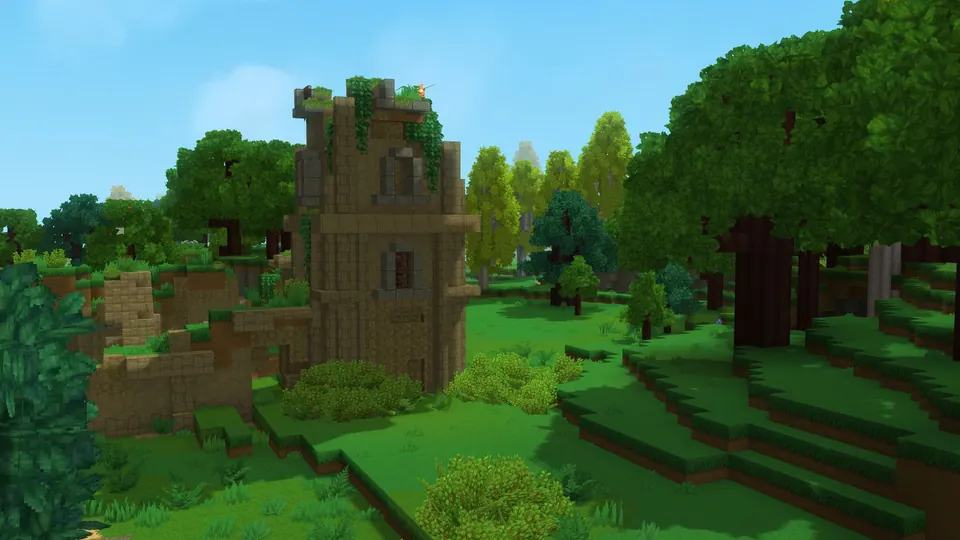
Bring your friends into Chapter I
Chapter I: Out of the Breach is live, with the Deepworks dungeon, Goblin Breaches and Runestones. Keep your existing world or start a fresh one. Windows, Mac and Linux players can play together.
Make room for your favourite mods
Add new content through the dashboard’s file manager, adjust your settings and restart when you’re ready. You have full file and console access, with help available when you need it.
Keep your progress close
Automatic backups are included. Make an extra copy before an update or a new mod, and download your world whenever you like. Moving hosts? We’ll help bring your existing world over for free.
Your first adventure starts here.
Link your Hytale account, bring your friends in and make the world yours. Your dashboard takes you through the first steps.
One link before you play.
Start your server and choose Authenticate when prompted. Follow the Hytale Link instructions to connect your account so your server can accept players.
How to link your Hytale server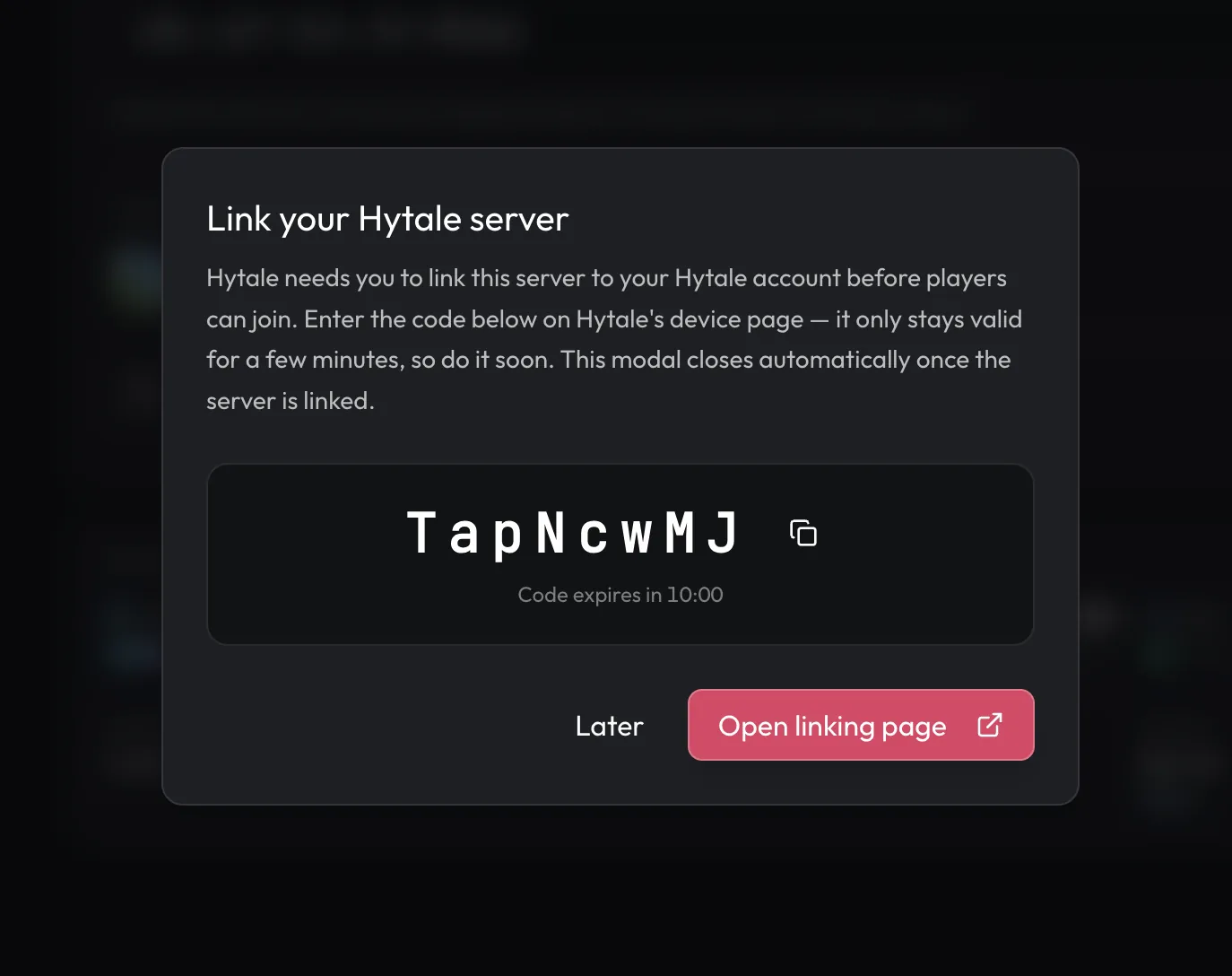
A little help with Hytale.
Start with a guide, or ask our team. Setup and migration help are included with your server.
Set up your Hytale server
From your first start to linking your account and inviting friends.
Join your Hytale server
Find your server address and connect to your shared world.
Install Hytale mods
Add compatible mods and check what your friends need to install.
Hytale Chapter I: Can't Connect to Server — Every Fix
Match versions first, then check Hytale Link, the address, UDP and mods.
Hytale server requirements
- Official minimum memory
- 4 GB RAM
- Starting recommendation
- 8 GB for friends; more for mods or busy worlds
- View distance
- Hypixel recommends a view radius of 12 chunks or less
- Player platforms
- Windows, Mac and Linux
- Hardware
- AMD Ryzen processors and NVMe storage
- First setup
- Installation, then Hytale Link before joining
Frequently asked questions.
Need help choosing? Talk to our team.
How much does Hytale server hosting cost?
Hytale server hosting starts at $9.95 USD per month. Your price depends on the memory you choose. Setup help and automatic backups are included. You can see each plan’s monthly price in the selector above.
What is Hytale server hosting?
A dedicated Hytale server keeps your shared world online independently of anyone’s computer. Explore, build and play together, with settings, mods, files and backups managed from your browser.
How do you host a Hytale server?
Choose a plan and a location, then check out. We install the Hytale server for you, which takes a few minutes. Start your server and complete Hytale Link when prompted. Then share the address from your dashboard: friends open Servers → Direct Connect in Hytale and paste it in. Dedicated servers use an address, not a friend share code.
What is the best server hosting for Hytale?
Look for a host that keeps your server on the current Hytale version, makes Hytale Link and mods easy, backs up your world and has a location near your group. berrybyte includes Auto Update for Chapter I and later builds, Hytale Link in the dashboard, full file access for mods, automatic backups and free world migration. Servers run in US East, US West or EU Central, and plans start at 4 GB, Hytale’s official minimum.
Does berrybyte support Hytale Chapter I?
Yes. Chapter I: Out of the Breach released on October 12, 2026. With Auto Update on and the release patchline selected, your server installs the current build when it starts. Every player needs the same game version to join.
Do I need a new world for Chapter I?
No. Chapter I works in existing Exploration worlds, which upgrade automatically the first time they load. An upgraded world can’t be opened by an older server, so back up before your first Chapter I start. Start fresh if your group wants to take on the new content together from the beginning.
Can Windows, Mac and Linux players join the same server?
Yes. Hytale is available on Windows, Mac and Linux, and players on these platforms can join the same dedicated server. Each player needs their own copy of Hytale and a matching game version.
How much RAM does a Hytale server need?
Hytale’s official minimum is 4 GB. Start there for a small group, and step up to 8 GB or more for busy worlds, more mods, or groups exploring in different directions. View distance also affects memory use. Use the Hytale server requirements calculator to estimate a plan for your group.
Can I install Hytale mods?
Yes. Upload compatible mods through Files and restart your server. Some mods also need to be installed by each player; check the author’s instructions. Our team can help you get started, and the mod installation guide below walks through the steps.
Can I bring my existing Hytale world?
Yes. We offer free help moving your world from another host. Keep a backup of your world, settings and mods, then open a support ticket. We’ll help check versions and transfer your files before you invite everyone back.
Do I need to open ports or install server software?
No. We install the server and handle its network connection. You only need to complete Hytale Link in the dashboard before players can join.
Where can I host my Hytale server?
Choose US East, US West or EU Central. The plan selector shows current availability and compares your connection. Pick a location close to most of your group.
What if the server isn’t right for me?
New purchases include a 7-day money-back guarantee. Request a refund through support within 7 days of purchase. Read the refund policy. You can also cancel future renewals from your dashboard.