Vintage Story Server Hosting
Settle into a shared Vintage Story world. Bring your friends, add your favourite mods and build through the seasons.
- PC
Installation takes a few minutes. Load your world, match your mods and share the server address. How setup works
Configure your server
Installation takes a few minutes. Load your world, match your mods and share the server address. How setup works
★★★★★
Guille
berrybyte customer · 19 January 2024
Read on TrustpilotRead more reviews“The user-friendliness of their control panel is notable, making managing my server straightforward and hassle-free.”
A homestead with room to grow.
Keep your Vintage Story world available for every harvest, building project and expedition, even when the original host is offline.
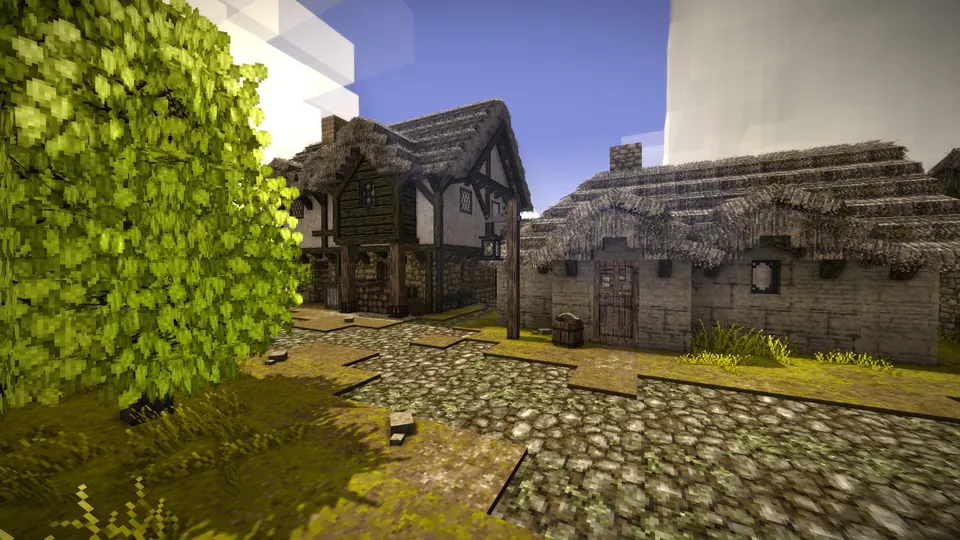
Build through the seasons
Choose your world settings and give friends a persistent place to play. Set a password or allowlist to keep the homestead private.
Play with your favourite mods
Upload compatible Vintage Story mods and keep everyone on the required versions. We can help with server installation and connection issues.
Bring your progress with you
Move a compatible save from your PC or another host. Automatic backups are included, with extra copies you can make before updates or mod changes.
Start the next season together.
Bring your world online, invite your friends and make the server feel like home.
Join your world
Copy the address from Overview and add the server in Vintage Story. Use the same game and mod versions as your friends.
Follow the connection guideSettle in
Set your password and world rules, then upload compatible mods or an existing save. We’ll help you move your homestead.
Get setup helpKeep a way back
Automatic backups are included. Make an extra copy before an update, a new mod or a world transfer, then restore it from your dashboard if you need to.
Manage your backups
A little help with Vintage Story.
Start with a guide, or ask our team. Setup and migration help are included with your server.
Connect to your Vintage Story server
The right joining steps, plus help with versions, passwords and connection problems.
Bring your world with you
Tell us where your server is hosted and we’ll help transfer the files.
Back up and restore your server
Save a copy before making changes and restore it from your dashboard.
Vintage Story server requirements
- Locations
- US East, US West and EU Central
- Included
- AMD Ryzen processors, NVMe storage and DDoS protection
- Help
- Installation, connection and world-transfer assistance
- Backups
- Automatic backups, plus backups you create yourself
Frequently asked questions.
Need help choosing? Talk to our team.
How much does Vintage Story server hosting cost?
Vintage Story server hosting starts at $6.95 USD per month. Your price depends on the player slots you choose. Setup help and automatic backups are included. You can see each plan’s monthly price in the selector above.
How much RAM is included with each plan?
The four-player plan includes 3 GB RAM and the eight-player plan 4 GB. The 16-player plan includes 8 GB and the 32-player plan includes 12 GB. Mods and active exploration can increase memory needs; ask us about larger modded worlds.
Can I install Vintage Story mods?
Yes. Upload compatible mods to the server and follow their instructions for client installations. Match game and mod versions before inviting the group.
Can I transfer a single-player world?
You can bring a compatible Vintage Story save. Stop the server, keep a backup and upload the required save files. Our team can help with the transfer.
Can I control who joins and change world settings?
Yes. You have access to server settings, files and admin controls. Set a password or allowlist and change supported world settings; some generation options only affect new worlds or unexplored areas.
What if the server isn’t right for me?
New purchases include a 7-day money-back guarantee. Request a refund through support within 7 days of purchase. Read the refund policy. You can also cancel future renewals from your dashboard.