V Rising Server Hosting
Build your castle with friends. Choose PvE or PvP, set your difficulty and keep your V Rising world available between sessions.
- PC
- Steam
Installation and the first world load take a few minutes. Set your rules and password, then invite your clan. How setup works
Configure your server
Installation and the first world load take a few minutes. Set your rules and password, then invite your clan. How setup works
★★★★★
Yr
berrybyte customer · 20 January 2024
Read on TrustpilotRead more reviews“The quick and easy set up of the servers are one thing, but the main thing that really shines on them is their customer service”
A realm under your control.
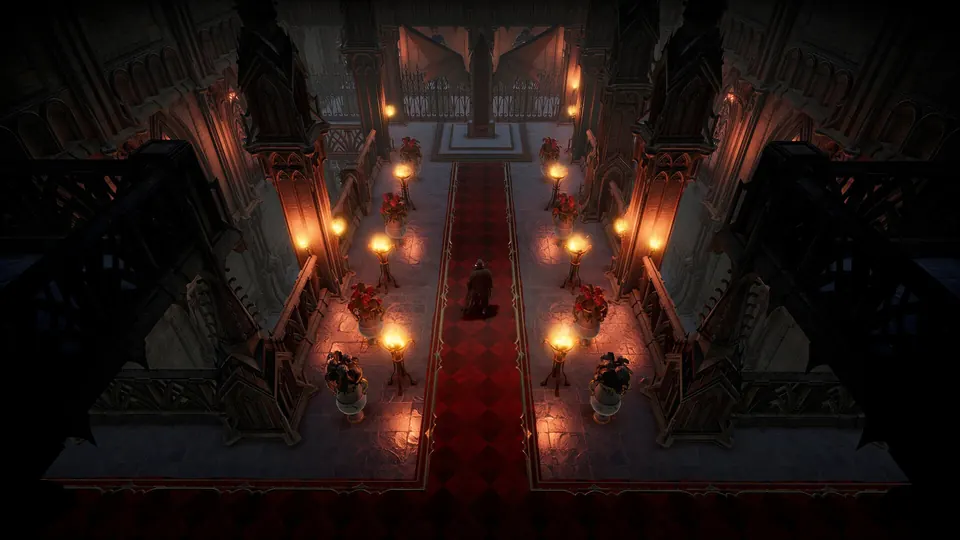
Make your V Rising dedicated server a place for co-op castle building, rival clans or a tougher hunt through Vardoran.
Choose peace or rivalry
Set PvE or PvP rules, clan size and raid windows. Choose the experience your group wants before its first castle goes up.
Play at your own pace
Adjust difficulty, resource rates and supported world settings. Our difficulty guide helps you choose Relaxed, Normal or Brutal and understand the settings involved.
Keep your castle’s progress
Bring a compatible save from another host with our help. Make backups before big changes and restore your server files through the dashboard.
Make Vardoran your own.
Choose your rules, gather the clan and leave room for the next castle expansion.
Find your realm
Use the connection details from Overview and join through V Rising’s server browser or direct-connect option.
Follow the connection guideSet the challenge
Choose PvE or PvP, your difficulty and clan settings. Starting from another host? Ask us to help bring your save over.
Get setup helpKeep a way back
Automatic backups are included. Make an extra copy before an update, a new mod or a world transfer, then restore it from your dashboard if you need to.
Manage your backups
A little help with V Rising.
Start with a guide, or ask our team. Setup and migration help are included with your server.
Change your V Rising difficulty
Choose a preset and adjust the challenge for your clan.
Connect to your V Rising server
The right joining steps, plus help with versions, passwords and connection problems.
Bring your world with you
Tell us where your server is hosted and we’ll help transfer the files.
Back up and restore your server
Save a copy before making changes and restore it from your dashboard.
V Rising server requirements
- Locations
- US East, US West and EU Central
- Included
- AMD Ryzen processors, NVMe storage and DDoS protection
- Help
- Installation, connection and world-transfer assistance
- Backups
- Automatic backups, plus backups you create yourself
Frequently asked questions.
Need help choosing? Talk to our team.
How much does V Rising server hosting cost?
V Rising server hosting starts at $9.95 USD per month. Your price depends on the player slots you choose. Setup help and automatic backups are included. You can see each plan’s monthly price in the selector above.
Can I run PvE, PvP or a private V Rising server?
Yes. Configure your rules and password, including PvP and castle raiding where supported. You can also adjust clan size and progression settings.
Can I change the difficulty to Brutal?
Yes. Choose the supported difficulty preset and check the world settings you want to change. Follow /wiki/games/v-rising/change-difficulty for the relevant configuration and restart steps.
What resources do the plans include?
The 10-player plan includes 6 GB RAM, the 20-player plan 8 GB and the 40-player plan 12 GB. Active castles, players and mods can affect resource needs, so treat the player count as a connection limit.
Can I use BepInEx mods or transfer a save?
Yes. Choose a compatible server setup, follow each mod’s requirements and keep a backup before changing frameworks. We can help move a compatible PC save. These plans are for the PC dedicated server.
What if the server isn’t right for me?
New purchases include a 7-day money-back guarantee. Request a refund through support within 7 days of purchase. Read the refund policy. You can also cancel future renewals from your dashboard.