Getting support
Get help from the berrybyte dashboard Help Center. Open a support ticket with your server, billing item, or crash log attached, then use Discord or email only as secondary channels.
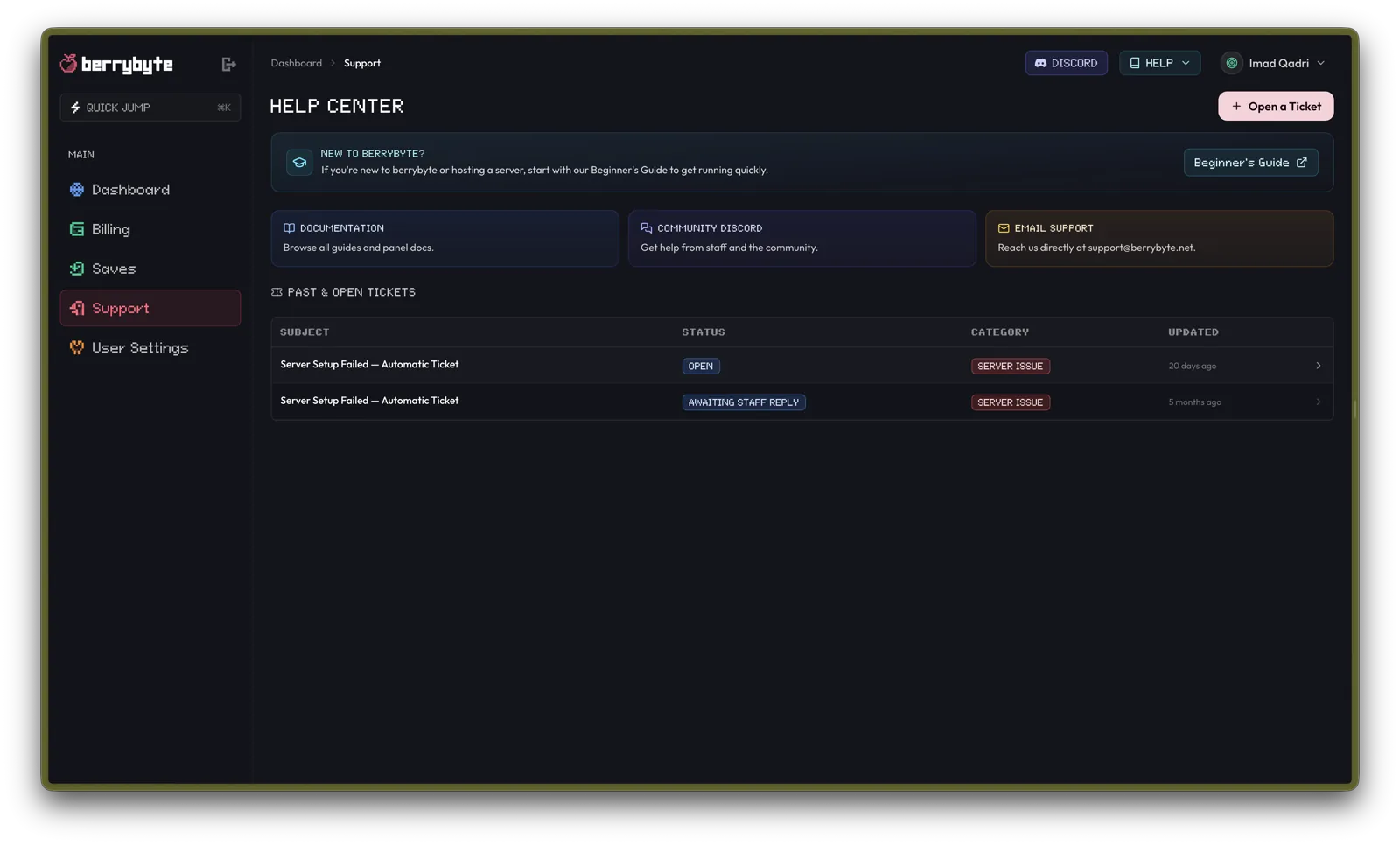
The fastest way to get account-aware help is the dashboard Help Center. Open Support in the sidebar, or go to app.berrybyte.net/support, then press Open a Ticket.
Tickets let staff see the related server, billing item, or crash log without you pasting IDs by hand. Community Discord and email are still available as secondary channels.
Prefer a ticket when
- A server will not start, install, or stay online
- Billing, invoices, renewals, or plan changes look wrong
- You need staff to review a crash, install failure, or subscription
- You want a written history of the conversation
Use Community Discord for general tips from staff and other players. Use support@berrybyte.net if you cannot sign into the dashboard.
Open a ticket
Open Help Center
In the dashboard, open Support, or use HELP → Open Support Ticket in the top navigation. You can also press Open a Ticket on the Help Center page.
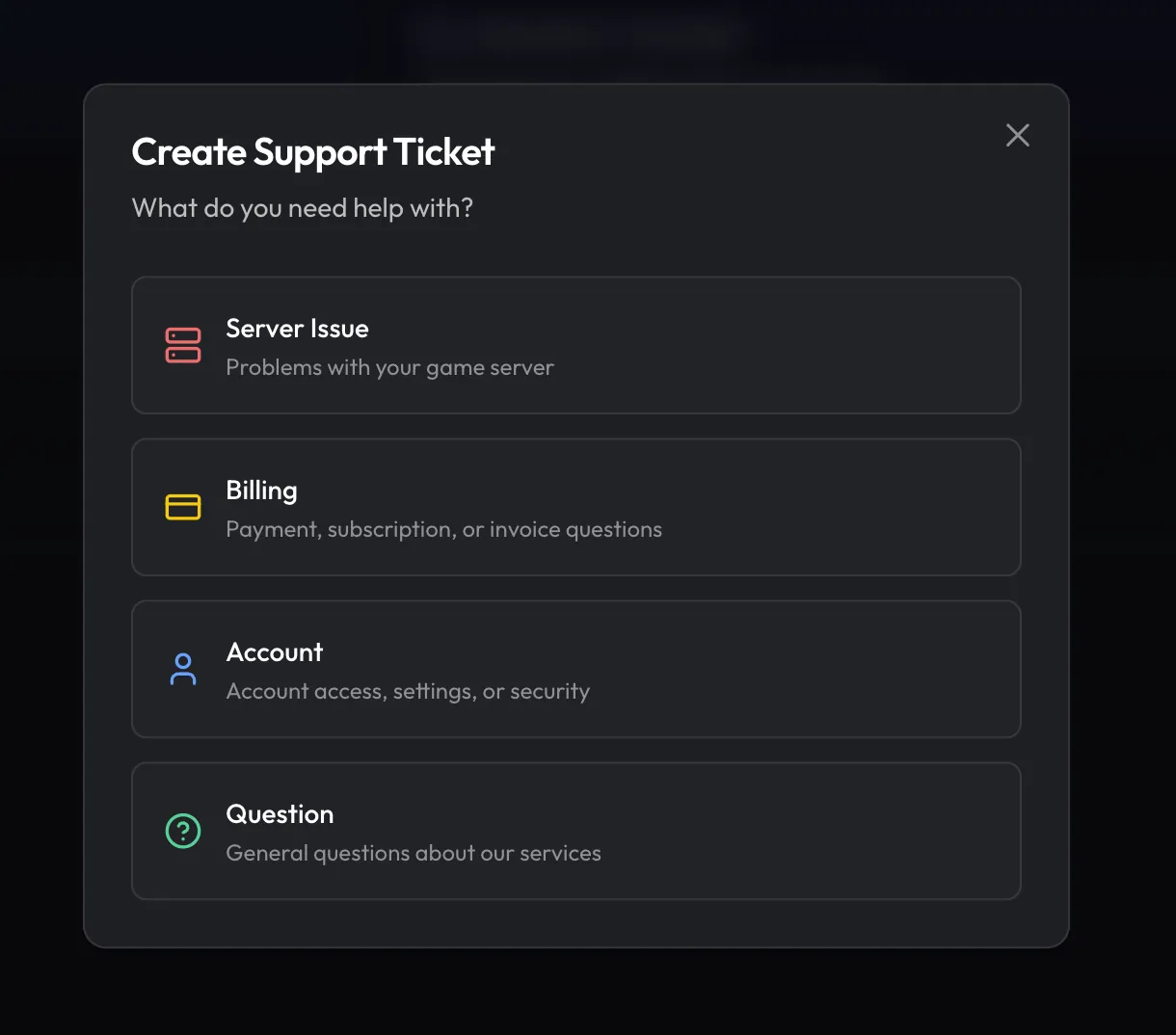
Choose a category
Pick Server Issue, Billing, Account, or Question.
Attach the right context
For a server issue, select the server or skip if it is unrelated. For billing, choose a topic such as Payment, Invoice, Subscription, or Payment Method, then optionally pick the specific item.
Set urgency and describe the problem
Choose Low, Medium, or High priority. Add a clear subject and description. Attach screenshots, logs, or recordings if they help (up to 5 files, 100 MB each).
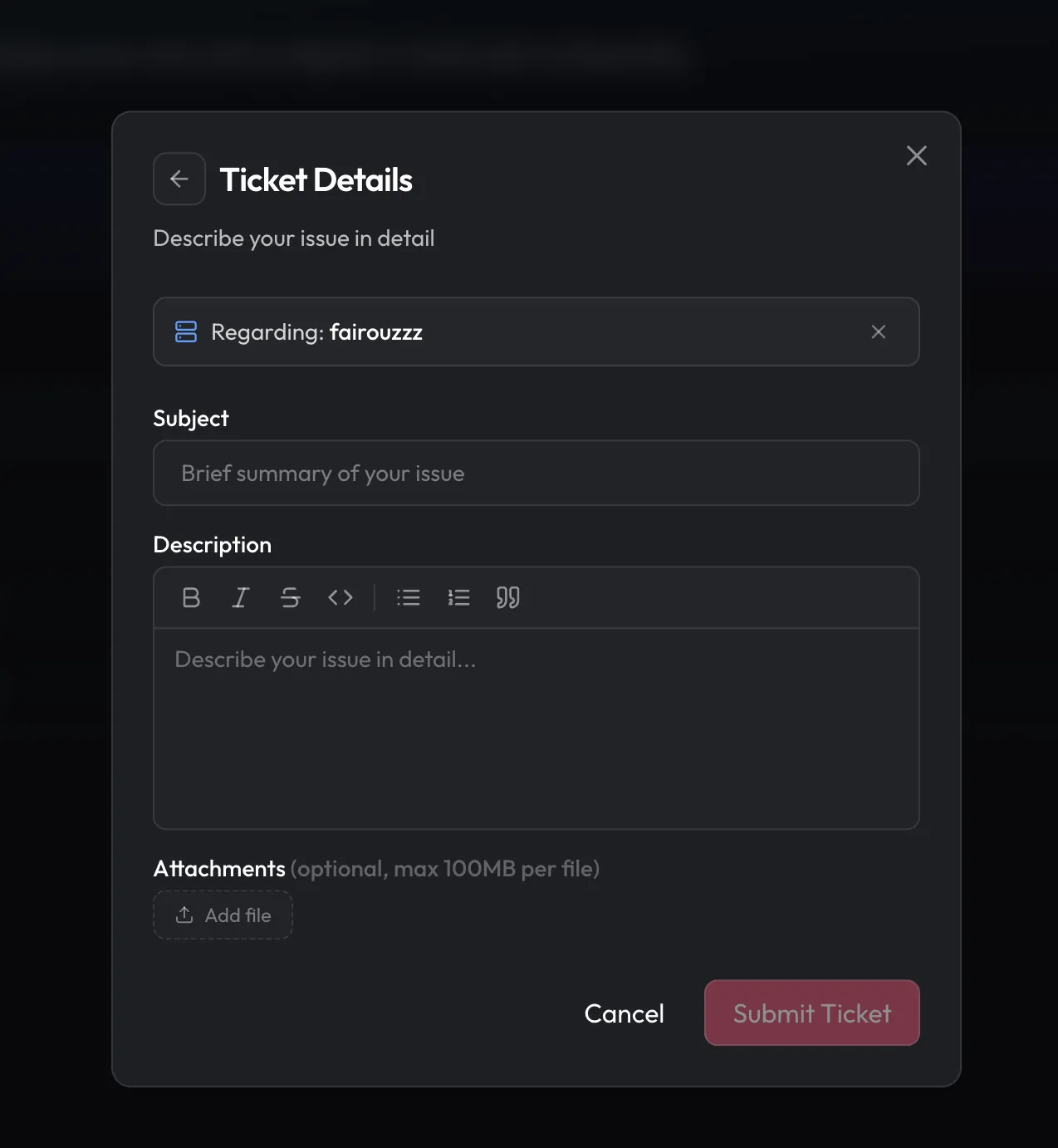
Submit and watch the conversation
Press Submit Ticket. Reply from the ticket page, attach more files if needed, and use Close when the issue is done.
Shortcuts from elsewhere in the dashboard
You do not always have to start from Support:
| Where you are | Action |
|---|---|
| Server card menu | Get help opens a new ticket with that server selected |
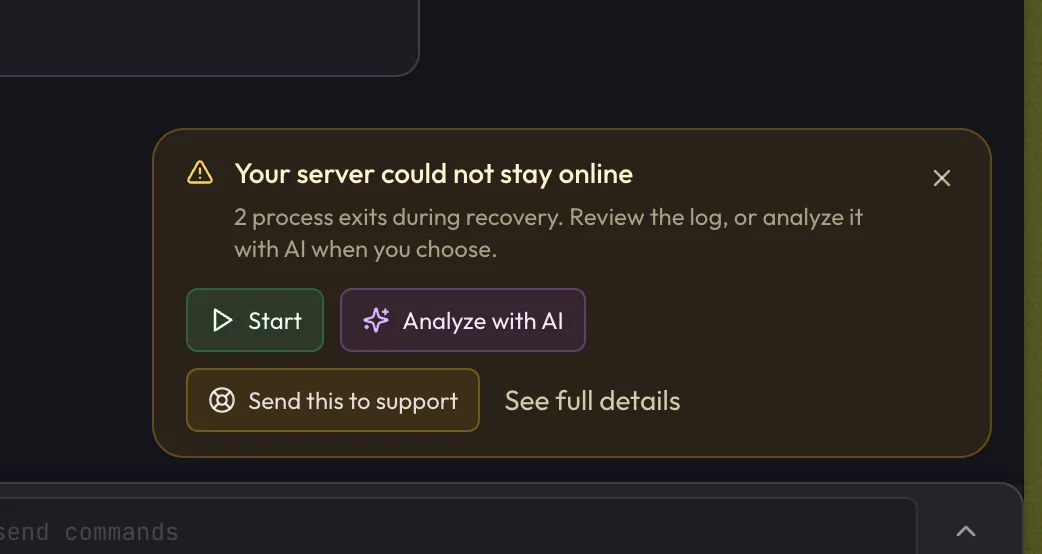
| Overview crash incident | Send this to support prefills the crash details |
| Install failure screens | Contact Support opens a ticket for that server |
| Cancel or billing flows | Open a billing ticket when the UI offers it |
| Command palette | Contact Support or New Ticket |
After you submit
Your ticket opens a Conversation thread. Staff replies appear there, and you get email notifications when the ticket updates.
Useful status labels:
| Status | Meaning |
|---|---|
| Open / In Progress | berrybyte is working on it |
| Awaiting Reply | We need more information from you |
| Awaiting Staff Reply | Your reply is waiting on us |
| Resolved | Reply to reopen if the issue is not fixed |
| Closed | Create a new ticket if you need more help |
If a ticket waits on you for several days with no reply, it may resolve automatically. Resolved tickets that stay quiet may later close. Attachments on closed tickets are removed after a short while, so download anything you need first.
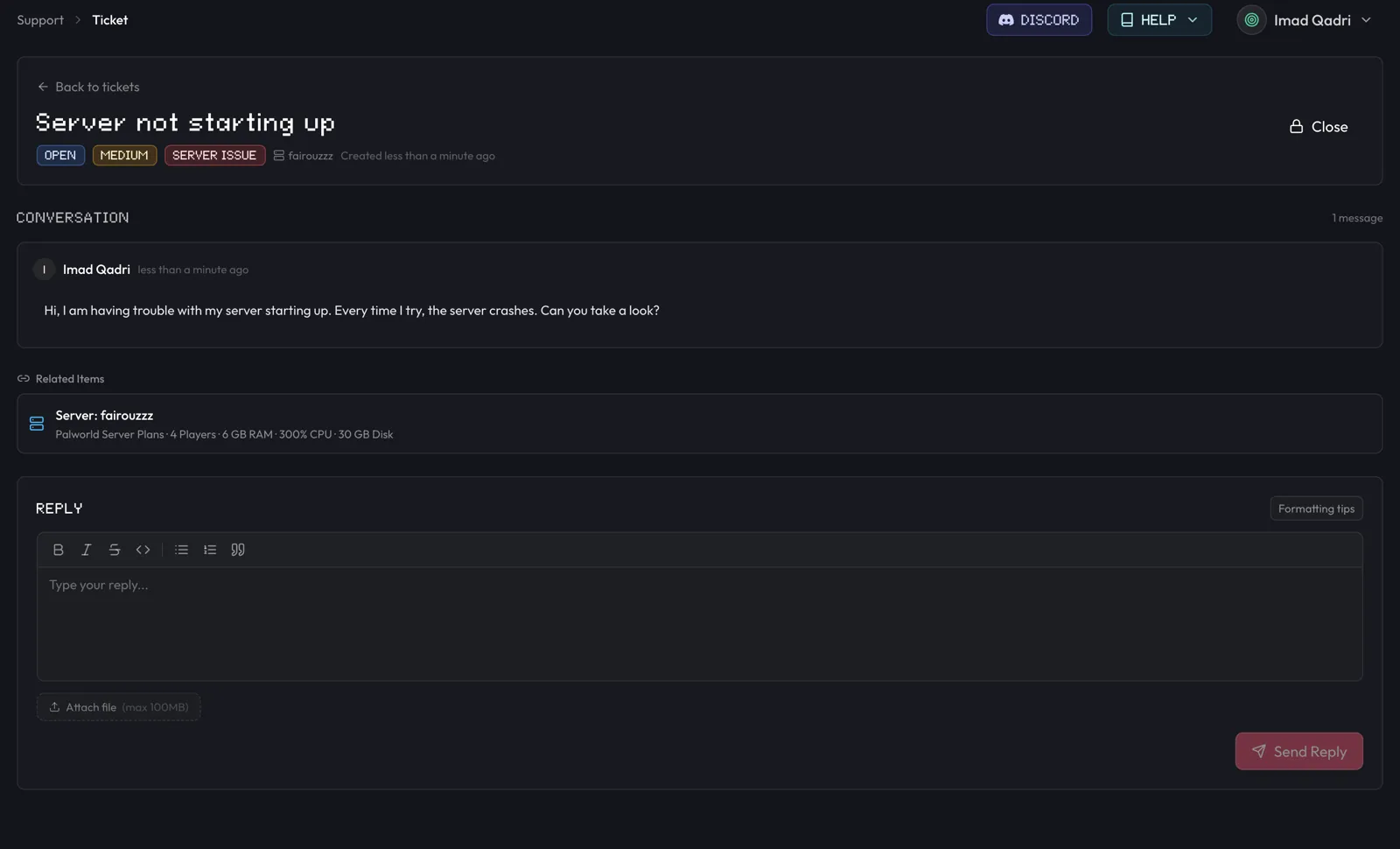
Tips for a faster answer
- Prefer the ticket over Discord when the issue involves your account or server
- Link the affected server, invoice, subscription, or crash instead of only pasting an ID
- Include what you already tried and when the problem started
- Attach a short screenshot or console snippet when the error is visual
- Keep one issue per ticket when you can
Where to go next
Frequently asked questions
What is the fastest way to reach berrybyte staff?
Open a ticket from Support → Help Center in the dashboard. Tickets keep a written history and can attach your server, billing item, or crash log so staff see the same context you do.
Can I reopen a closed ticket?
Reply on a Resolved ticket to reopen it. Once it is Closed, start a new ticket and mention the previous one if that helps.
When should I use Discord or email instead?
Use Community Discord for quick tips that do not need account access. Email support@berrybyte.net if you cannot sign in. For anything tied to a server, bill, or crash, prefer a dashboard ticket.