RuneScape: Dragonwilds Server Hosting
Make Ashenfall your group’s next adventure. Build, explore, and pick up where you left off in a shared world that stays online.
- PC
- PS5
- Xbox
- Switch 2
After installation, add your in-game Player ID and choose a world name. We’ll show you where to find both. How setup works
Configure your server
After installation, add your in-game Player ID and choose a world name. We’ll show you where to find both. How setup works
★★★★★
Damian Piszewski
berrybyte customer · 17 July 2025
Read on TrustpilotRead more reviews“The website and game panel are one of the prettiest I've seen. The owner is professional and really helpful, which is surprising at this scale.”
Dragonwilds 1.0. Your whole party, together.
RuneScape: Dragonwilds 1.0 dedicated server hosting keeps Ashenfall open for your whole party. Return to the same world on PC or console, on your own time.
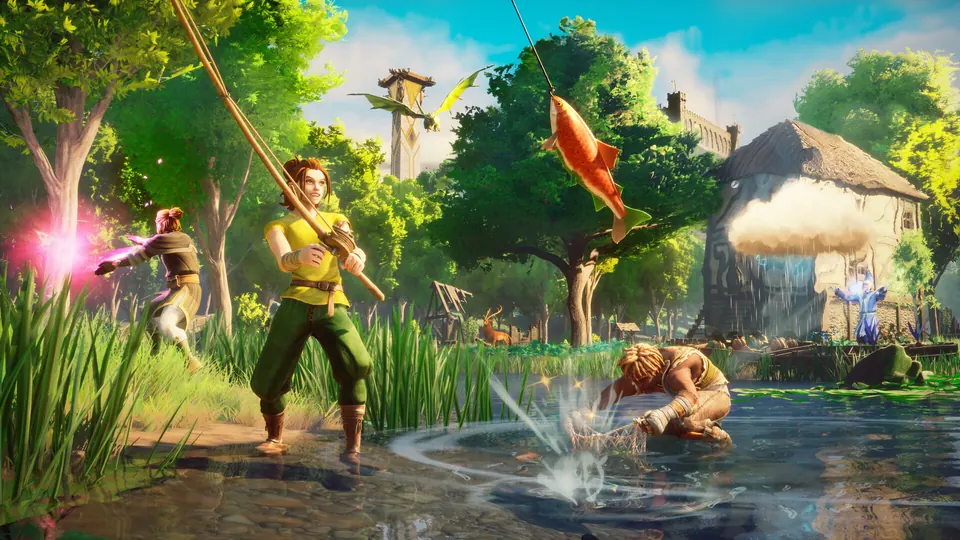
Adventure on your own schedule
Your world stays available when you log off. Friends can gather, build and explore without waiting for the original host to come online.
Bring the whole party
Start with the recommended 6-player plan, or try an experimental 12- or 32-player plan for a bigger group. PC, PS5, Xbox Series X|S and Switch 2 players can find the same world through the in-game Public list.
Pick up where you left off
Already have a world you care about? Our team can help move a compatible save for free. Automatic backups give you a way back if you need to restore your progress.
From a new server to your shared world.
A little setup, then you’re off to Ashenfall. Follow the steps in your dashboard and bring your friends along.
Two details to get started.
Copy My Player ID from the game’s Settings and paste it into your dashboard. Choose a world name your friends will recognise. Your Player ID is needed before the server can start.
Follow the setup guide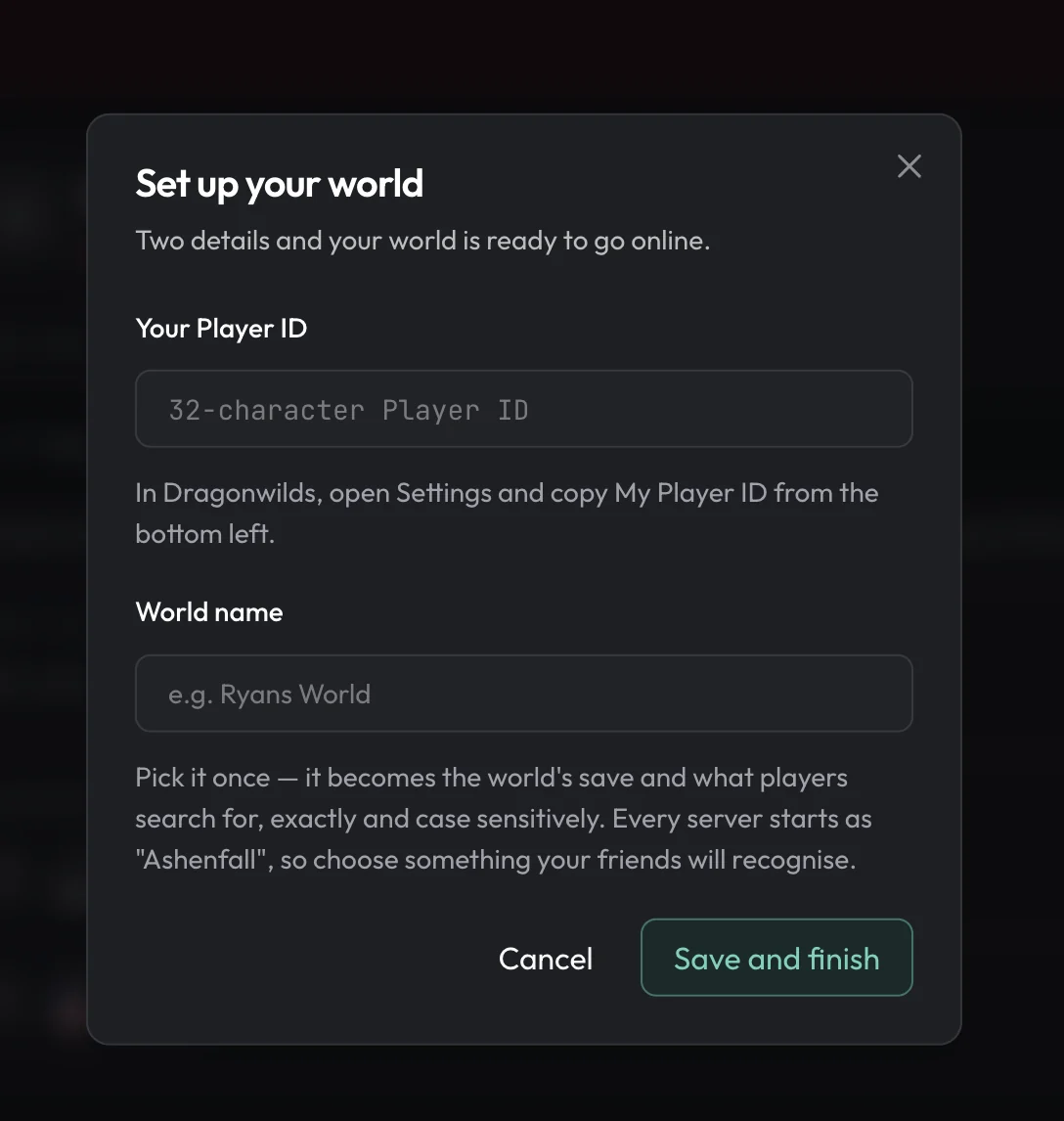
A little help with Dragonwilds.
Start with a guide, or ask our team. Setup and migration help are included with your server.
Set Up a Dragonwilds 1.0 Dedicated Server
Find your Owner ID, configure the world, and start a hosted or self-run server.
Join a Dragonwilds 1.0 Server on PS5, Switch 2, Xbox and PC
Search the exact world name under Worlds → Public. Steam invites do not connect.
Move a Solo World to a 1.0 Dedicated Server
Transfer the original .sav without renaming it or losing progress.
Dragonwilds 1.0 Server RAM Requirements
Jagex publishes 2 GB base plus 1 GB per player. Our plans include 4 GB to 12 GB.
RuneScape: Dragonwilds server requirements
- Player slots
- 4 or 6; experimental 12 or 32
- Players when hosting in game
- 4
- RAM included
- 4 GB, 6 GB, 8 GB and 12 GB on the 4, 6, 12 and 32-slot plans
- CPU
- High single-thread clock
- Storage
- NVMe SSD
- Crossplay
- PC, PS5, Xbox Series X|S and Switch 2
- World transfer
- Bring your existing save, free
Frequently asked questions.
Need help choosing? Talk to our team.
How much does RuneScape: Dragonwilds server hosting cost?
RuneScape: Dragonwilds server hosting starts at $9.95 USD per month. Your price depends on the player slots you choose. Setup help and automatic backups are included. You can see each plan’s monthly price in the selector above.
How many players can join a Dragonwilds server?
In-game hosting supports 4 people. Jagex documents 6 players on a dedicated server, and 6 is our recommended plan. We also offer experimental 12- and 32-player plans that raise the server’s player limit; performance above six depends on your world and activity.
Can PS5, Xbox or Switch 2 players join a dedicated server?
Yes. Dragonwilds 1.0 supports crossplay across PC, PS5, Xbox Series X|S and Switch 2. Open Worlds → Public and search for the exact world name shown in your dashboard.
What do I need to do after buying?
Wait for installation to finish, then open Set up your world. Copy My Player ID from the game’s Settings into the dashboard and choose a world name. The server needs your Player ID before it can start. Our setup guide shows every step.
Do I need to own Dragonwilds to run a server?
You need access to the game to get your Player ID and to play. Hosting pays for the server; it does not include a copy of RuneScape: Dragonwilds.
Can I move my existing solo world to a server?
Yes, a compatible world save can be moved to your dedicated server. Keep a backup of the original, then follow our world-transfer guide or ask our team to help with the migration for free.
How do friends find my world?
Once the server is running, open Worlds → Public and search for the world name exactly, including capital letters. Use the world name rather than a Steam invitation, and enter the world password if you set one.
Do Dragonwilds mods work on a dedicated server?
You have full file access for compatible community mods. Console players cannot install client-side mods, so an unmodded server is the simplest choice for a mixed group.
What if the server isn’t right for me?
New purchases include a 7-day money-back guarantee. Request a refund through support within 7 days of purchase. Read the refund policy. You can also cancel future renewals from your dashboard.