What is berrybyte?
berrybyte is a game server hosting service. Choose a game, region, and plan, then manage power, files, backups, automations, settings, and billing from the web dashboard.
berrybyte hosts the game server for you. Choose a game, region, and plan, then invite your friends without leaving your own computer running.
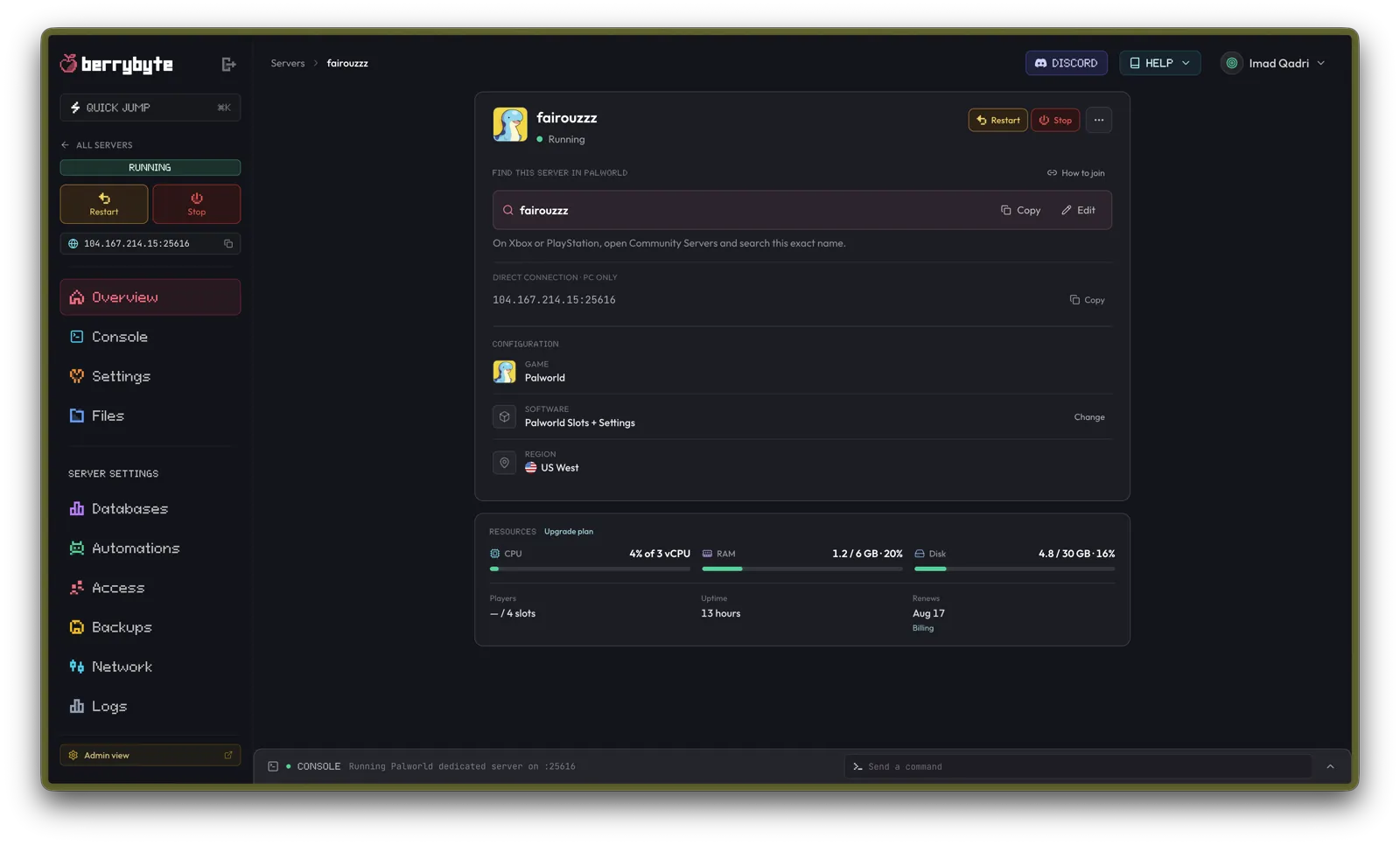
The dashboard is the control room for your servers. It includes power controls, files, a live console, game settings, backups, automations, access controls, and billing.
What you get with every server
- A dedicated slice of a fast machine with SSD storage in the region you choose
- Free DDoS protection on every plan
- Automatic off-site system backups plus your own manual backups
- A browser file manager, live console, game settings, and scheduled automations
- Human support from the dashboard Help Center, plus Community Discord and email as backups
How the pieces fit together
Choose a server on berrybyte.net
Pick a game, server type, region, and plan. Some games use RAM-based plans; others use player-slot plans.
Sign in and check out
Sign in with Google, Discord, or email before checkout. Choose a billing cycle and finish payment through Stripe.
Manage it from the dashboard
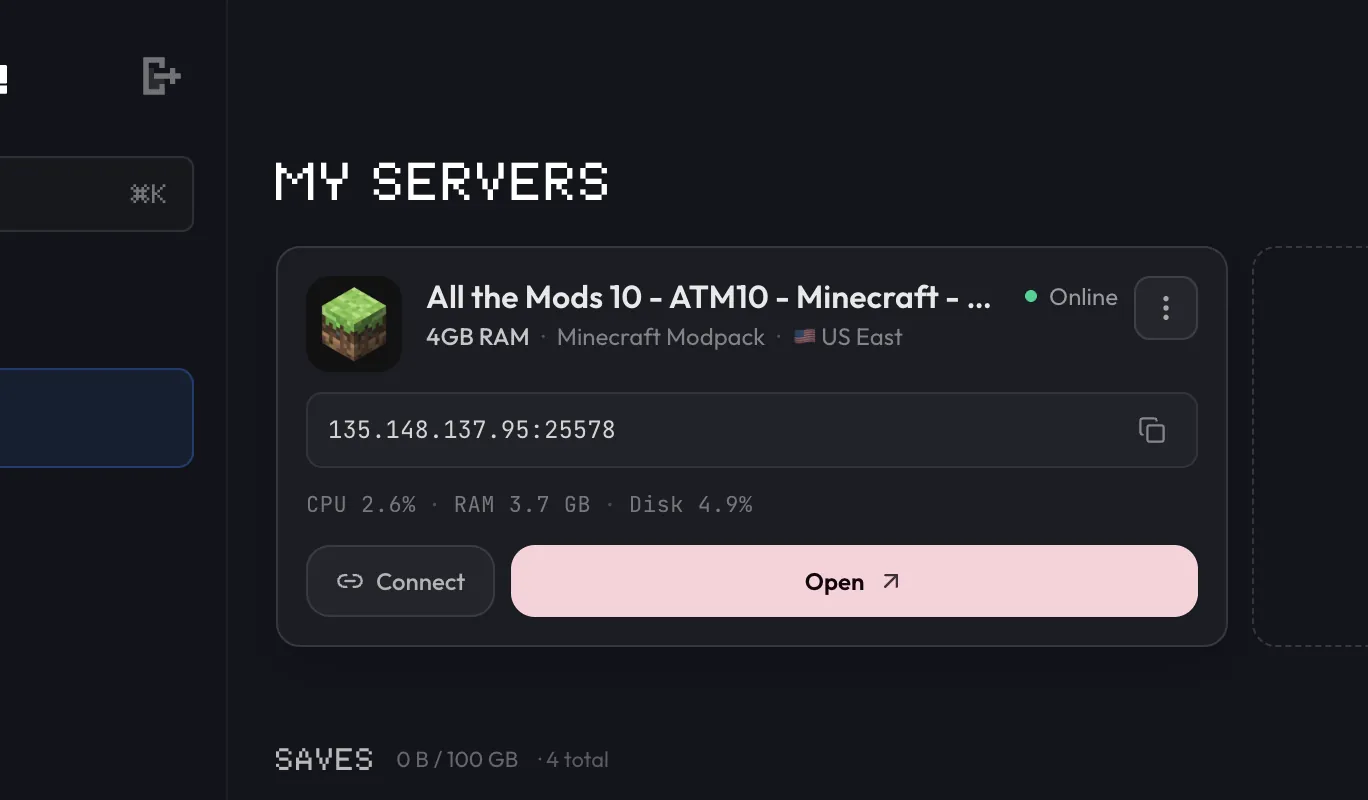
Your server appears on My Servers while it is setting up. Open it to control power, copy the join address, and configure the game.
Connect from your game
Start the server, copy its address, and paste that address into the multiplayer menu in your game client.
Where to go next
Frequently asked questions
Do I need to know Linux to use berrybyte?
No. You can manage power, files, settings, backups, and automations from the web dashboard. The live console is available when a game command is useful, but Linux administration is not required.
Which games does berrybyte support?
berrybyte hosts Minecraft, Palworld, Rust, Valheim, V Rising, Enshrouded, FiveM, Counter-Strike 2, Satisfactory, and more than a dozen other games. The full list is on the game servers page.
Can I switch games on an existing server?
Each server runs one game. To play something else, create a new server for that game. Your worlds and files stay tied to the original server.