Start, stop & restart
Power controls live in the server sidebar and on Overview. Start turns the server on, Stop turns it off, Restart turns it off and back on, and Force Kill handles a stop that gets stuck. Unexpected crashes can be diagnosed with AI Crash Analysis.
Start turns the server on, Stop turns it off, Restart turns it off and back on, and Force Kill forces a stuck stop to finish. You'll find these in the server sidebar on every server page and at the top of Overview. Which buttons you see depends on whether the server is online.
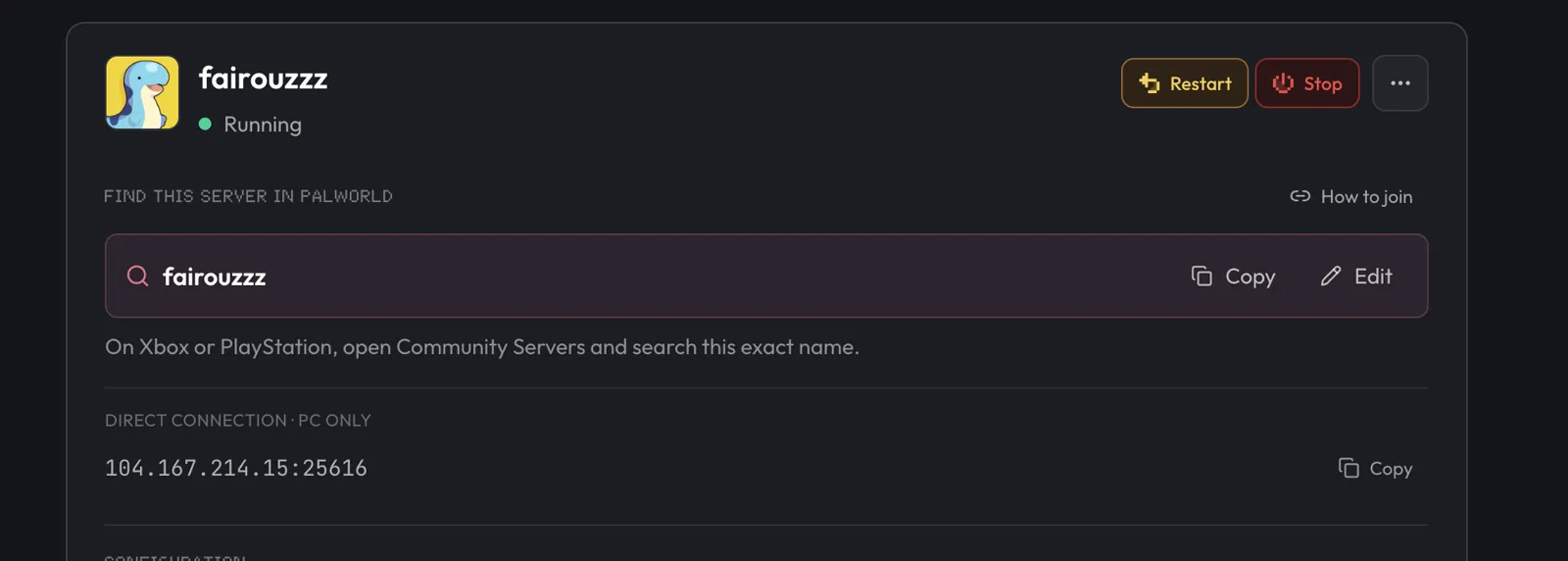
Start
Start shows up when the server is offline. Use it after setup, maintenance, or after changing the game version or modpack. Wait until the game is ready before joining; large modpacks take longer than vanilla. Watch the Console for live startup output.
Stop
Stop turns the server off cleanly. Your files stay in place. Most games save during a normal stop, but berrybyte does not add a separate world-save guarantee. Use the game's save command first when the latest progress matters.
The file manager is not locked while the server runs. Stopping first is still recommended before you:
- Upload a world or any large files
- Edit files the game may overwrite while turning off
- Change the game version, modpack, or plan size
- Make any other risky file change
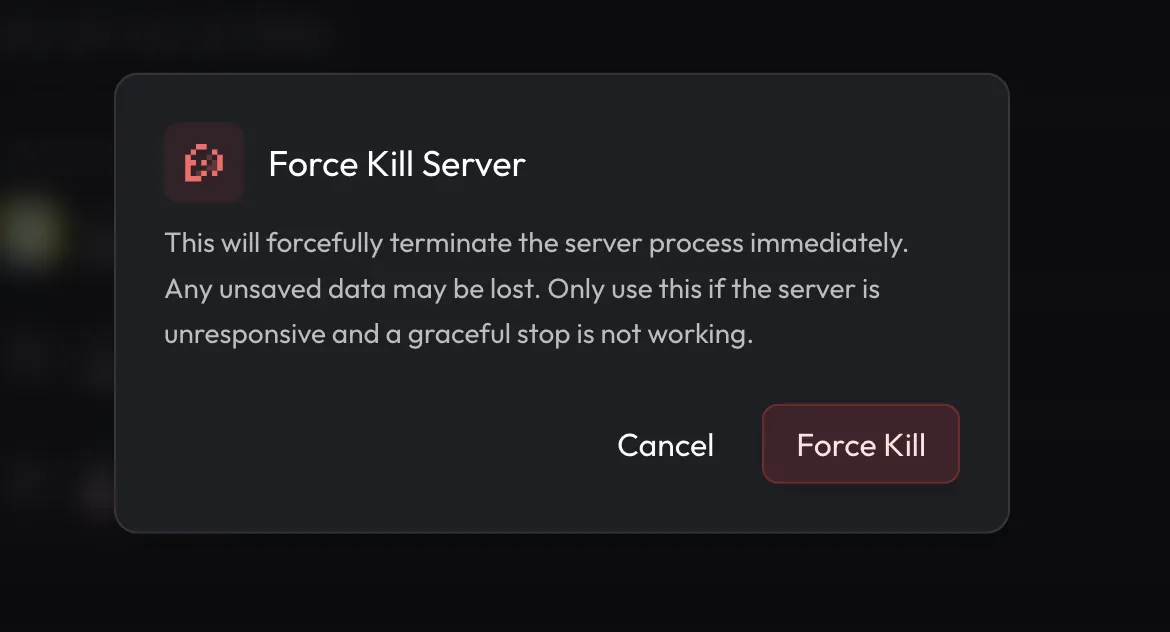
Let Stop finish whenever possible. If the server remains in Stopping, the sidebar offers Force Kill. Force Kill can lose unsaved data, so use it only when a normal stop is stuck.
Restart
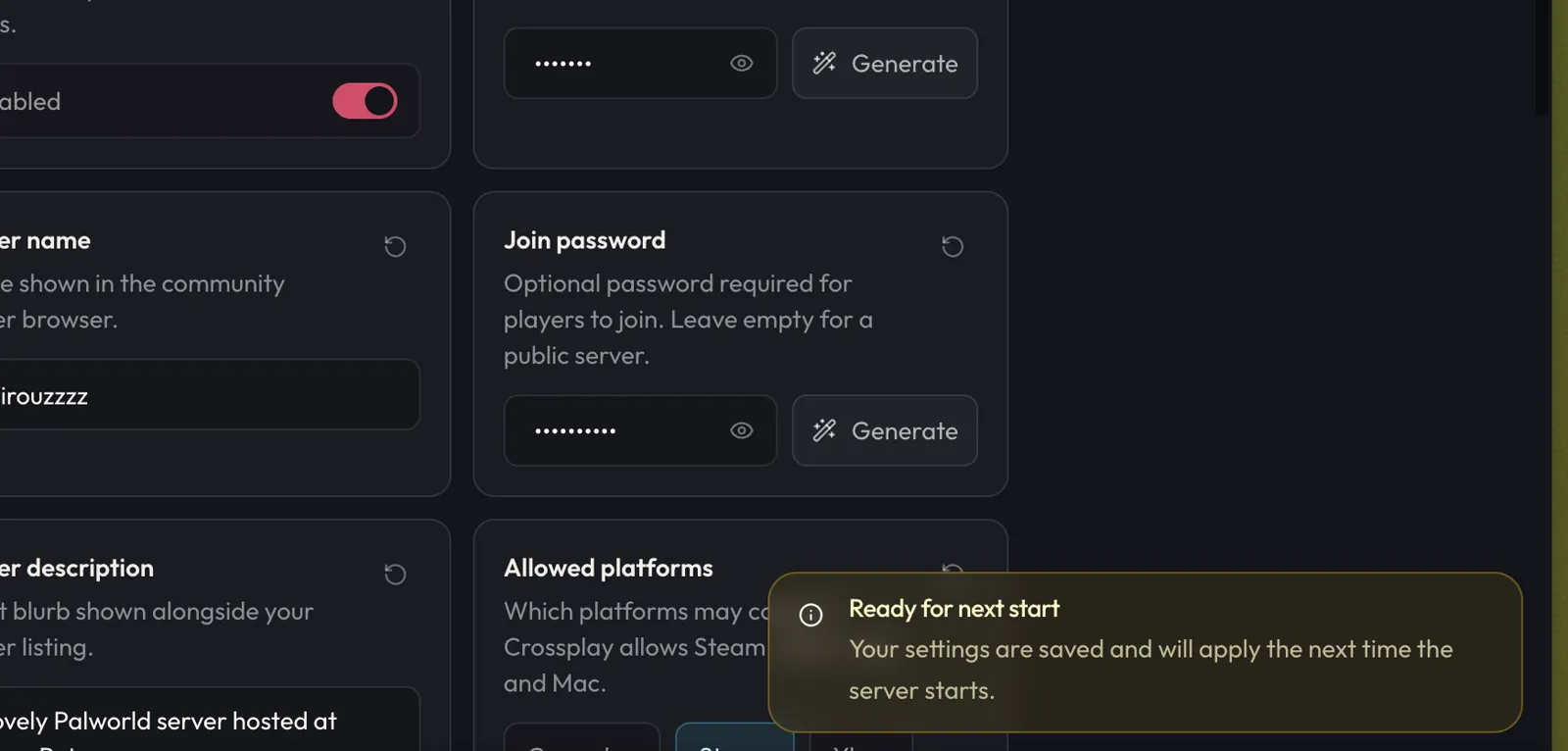
Restart turns the server off, then starts it again. Use it after a setting change when the dashboard shows Restart required, after installing mods or packs that need the server to come back online, or when something feels stuck.
If the server is already offline, saved game settings apply the next time you press Start. Changing the game version or modpack can need a full file reset instead of a restart; the dashboard labels that separately.
Which one do I press?
| You want to… | Press |
|---|---|
| Turn an offline server on | Start |
| Turn it off before big file changes | Stop |
| Apply config or mod changes | Restart |
| Unstick a stop that never finishes | Force Kill |
Why won't my server start?
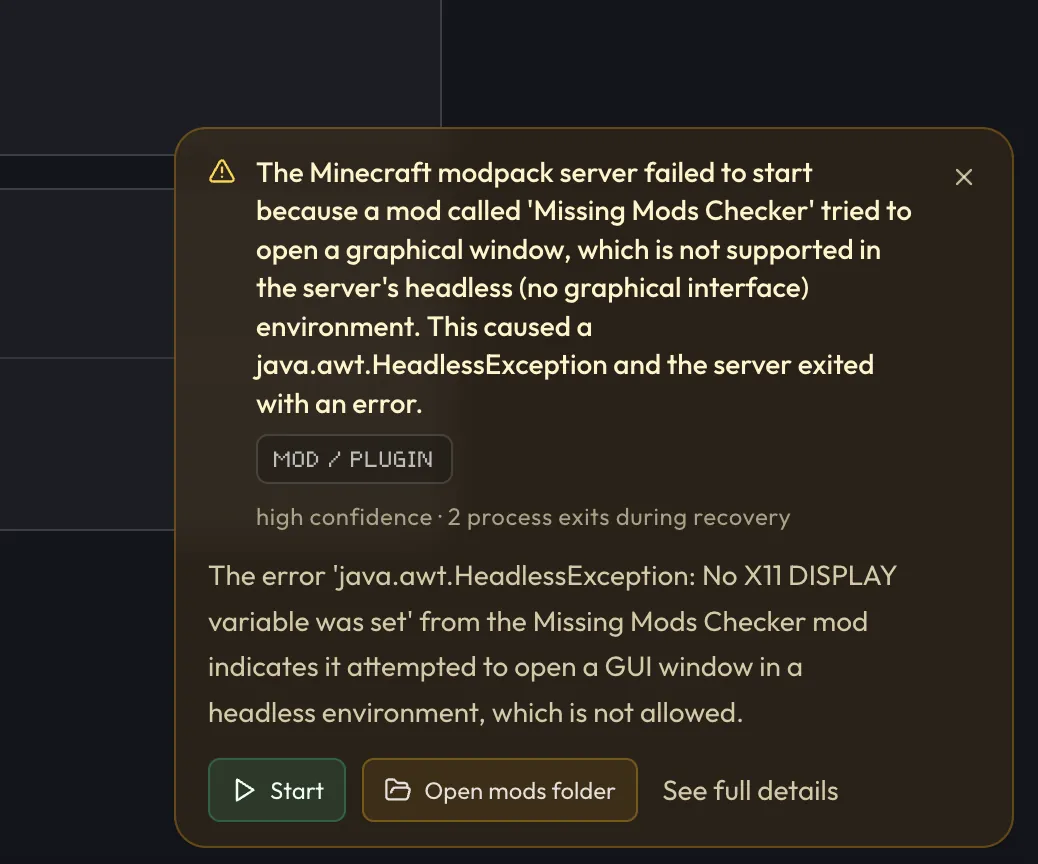
Watch the Console while the server starts. The last lines before it stops usually name the problem: a broken mod, a bad config, out of memory, or a missing mod or library.
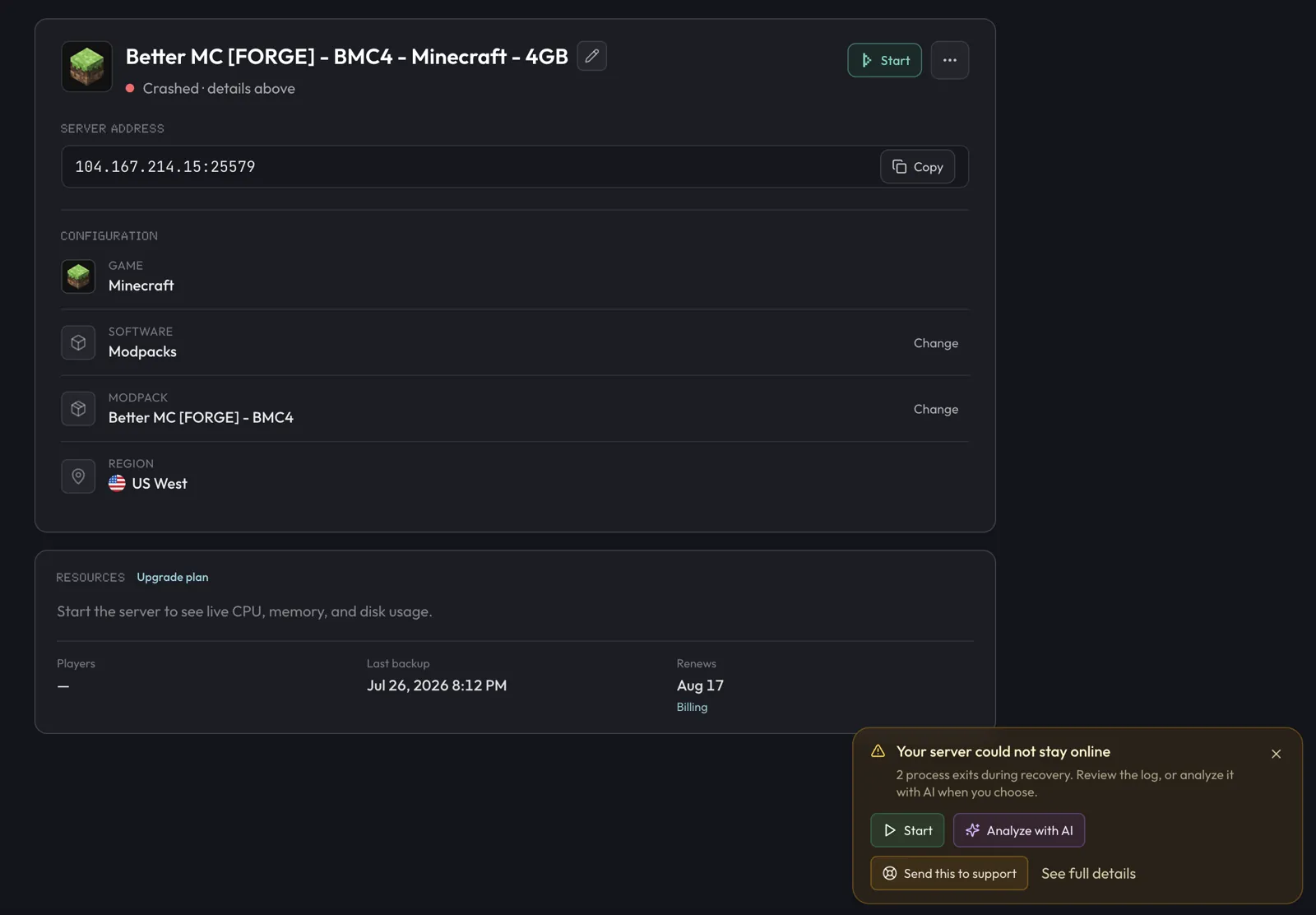
If the server crashes or quits unexpectedly, berrybyte saves that console output as a crash log and can diagnose it with AI Crash Analysis.
Analyze with AI
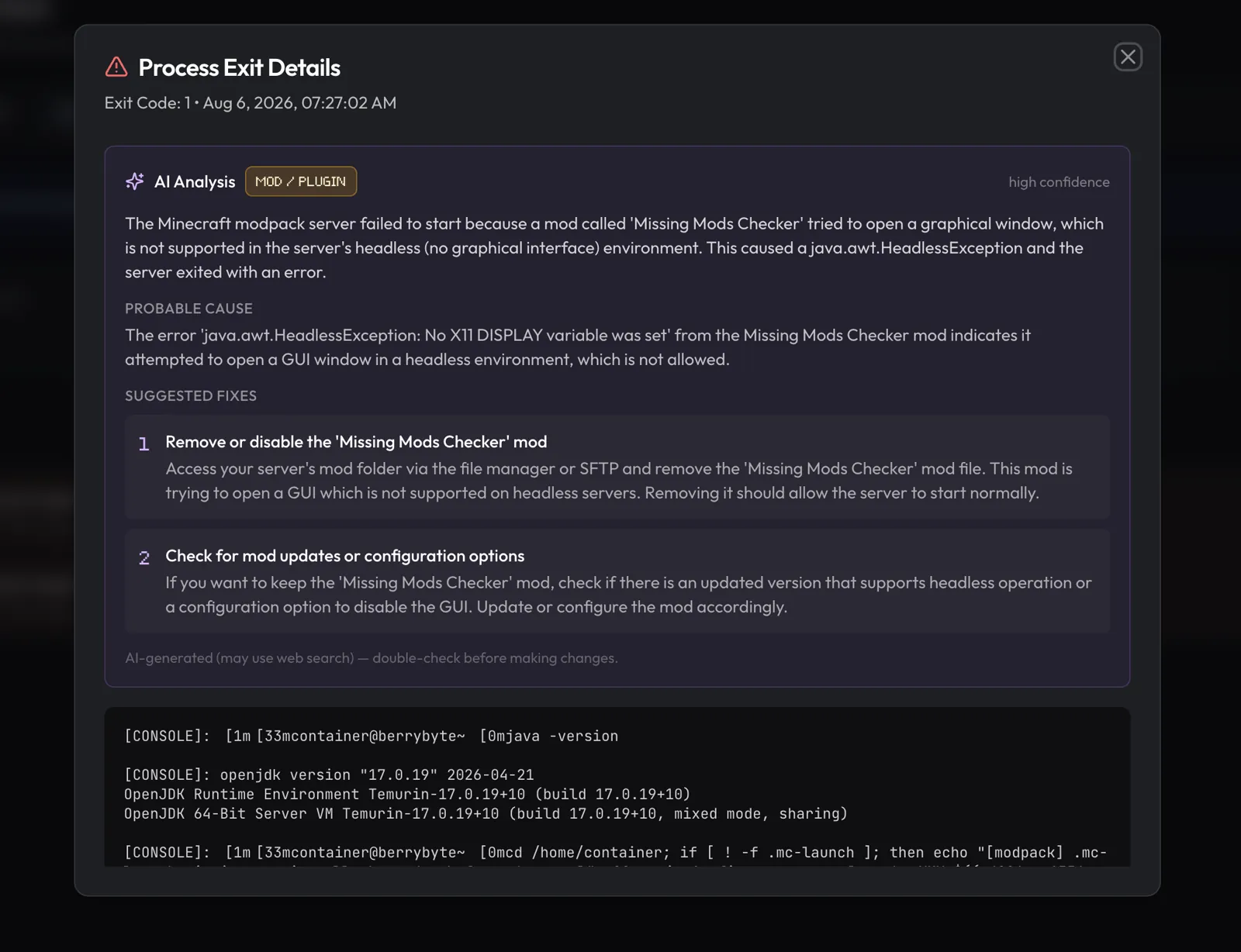
When the server cannot stay online, Overview shows an incident card. Press Analyze with AI for a short diagnosis: summary, category, probable cause, and suggested fixes. You can also open See full details for the full log.
Past crashes live under Logs → Process Exits. Open any row for the full console log and the same Analyze with AI action. Analysis is optional and only needs to run once per crash. Verify suggestions before changing files or mods.
Common next steps
- Remove or update the mod or plugin named in the log
- Undo a recent config edit in Files
- Restore a backup if world or data looks corrupted
- Upgrade plan memory if the analysis points to out of memory
Still stuck? Use Send this to support on the incident card when it is available; it opens a Help Center ticket with the crash already linked. Otherwise open Support → Open a Ticket and choose Server Issue. See Getting support.
Frequently asked questions
Does stopping my server delete anything?
No. Stop turns the server off and leaves your files in place. Most games save during a normal stop, but use the game's save command first when the latest world progress is critical.
How long does a start take?
It varies by game and modpack. Vanilla servers are usually quick; large modpacks can take several minutes. Watch the live console for progress and errors.
What is Analyze with AI?
Analyze with AI is a berrybyte engineering tool we built to make analyzing server crashes easier. When a server crashes or quits unexpectedly, berrybyte saves the console output as a crash log under Logs → Process Exits. Our analyzer reads that log, summarizes what happened, names a probable cause, and suggests fixes. You can run it from the Overview incident card or from Process Exits.
Will my server stop if I close the dashboard?
No. The server runs on berrybyte's machines around the clock. The dashboard is just a remote control, and closing it changes nothing.