TL;DR: COBBLEVERSE 1.8.0 came out on November 17, 2026, on Cobblemon 1.8.4 and Minecraft 1.21.1 with Fabric. Back up your server, update it, and have every player update their launcher at the same time.
Can you keep your 1.7 world? The author says this update keeps existing worlds safe. They still strongly recommend a backup before you update, so take one.
berrybyte installs COBBLEVERSE from Modrinth with Fabric set for you. Start a COBBLEVERSE server, then switch it to 1.8.0 after the first start.
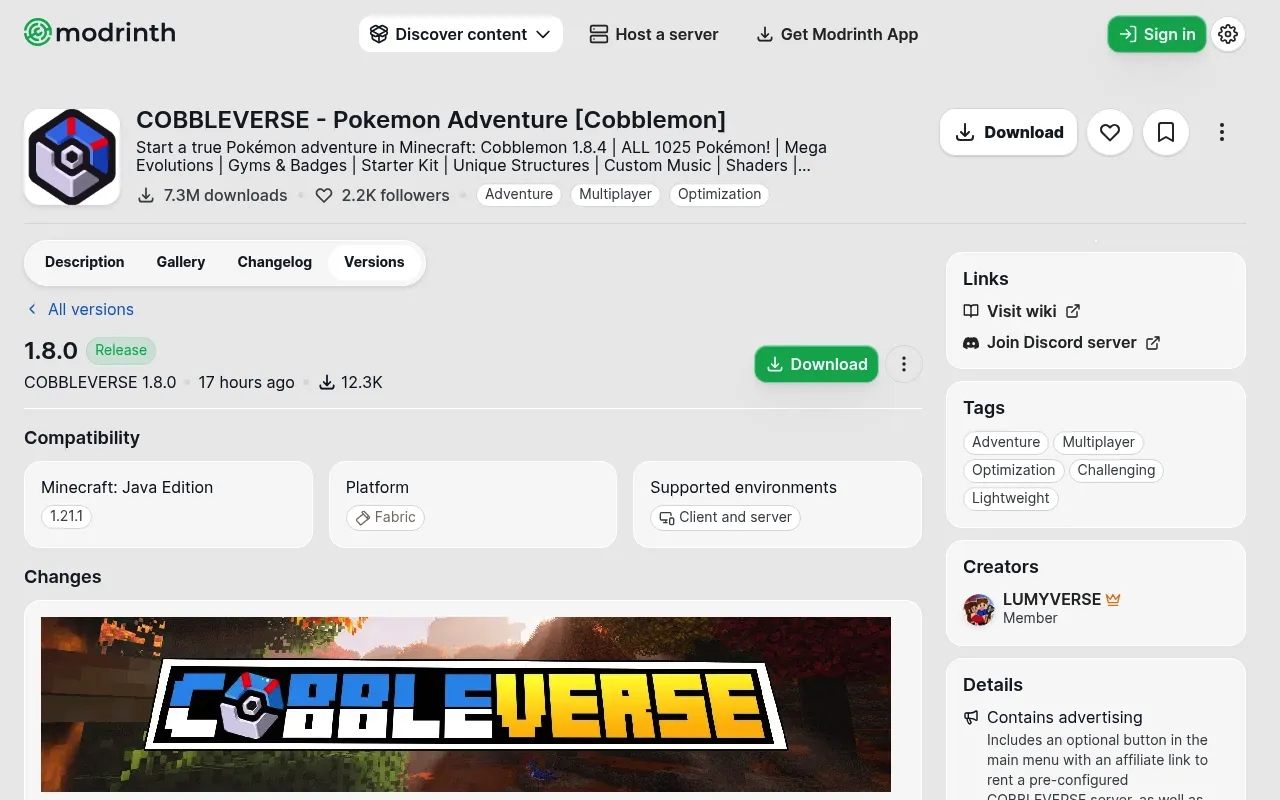
What's new in COBBLEVERSE 1.8.0
This is the first release since 1.7.42 (July 21, 2026). It is not the Unova and regions update, which is still in the works. From the 1.8.0 changelog, these are the changes that matter most on a server:
- Cobblemon 1.8.4. The whole pack now runs on Cobblemon 1.8.4.
- Habitat Block. A spawner block "for servers and adventure maps" that controls spawning in an area. There are also 49 new habitat structures.
- Reworked spawn pools. Many spawn pools changed, and old Cobblemon presets are gone. The author points to cobbleverse.wiki for the new spawns.
- Alpha Pokémon. Bigger, stronger wild Pokémon that always spawn in herds.
- Official TMs. Cobblemon's TMs and TM Machine are in. Old TMCraft TMs turn into the new ones in a crafting table, and the author says TMCraft "will be removed in the future".
- Advancements reset. Cobblemon rebuilt its advancements, so every Cobblemon advancement players earned before resets.
Removed mods to check
The changelog removes 7 mods: MysticMons, TDMon, LackingMons, GlitchDex, Cobblemon Better Pokedex Scanner, EeveelutionsReimagined and Cobblemon Fight or Flight Reborn. Fight or Flight is out only until a Cobblemon setting works again.
The changelog doesn't say what happens to Pokémon or items that came from the removed mods. If your players caught Pokémon or used items from these mods, keep your backup until you've checked your world on 1.8.0.
Can I keep my 1.7 world?
The author says the update is meant to keep "your pre-existing worlds safe". They also say they "cannot guarantee it is 100% error-free", because it was built in stages over many months.
So back up first. If something breaks, use Change version to go back to 1.7.42, then restore the backup.
COBBLEVERSE server notes
- Everyone runs the same version. Players on 1.8.0 can't join a 1.7.42 server, and the other way round.
- It's not the Cobblemon Official Modpack. Players with that pack can't join a COBBLEVERSE server, so check each launcher profile.
- Fix the resource packs once. After updating, each player should open Resource Packs, hold T for 3 seconds, then click Done.
- RAM. The pack page recommends at least 6 GB for multiplayer.
- The server rules still apply. Call your server "COBBLEVERSE Compatible", not a "COBBLEVERSE Server", and a public server that sells ranks, perks or items can't use the pack's structures, trainers or datapacks. Our COBBLEVERSE server guide lists the full rules.
How to update COBBLEVERSE on berrybyte
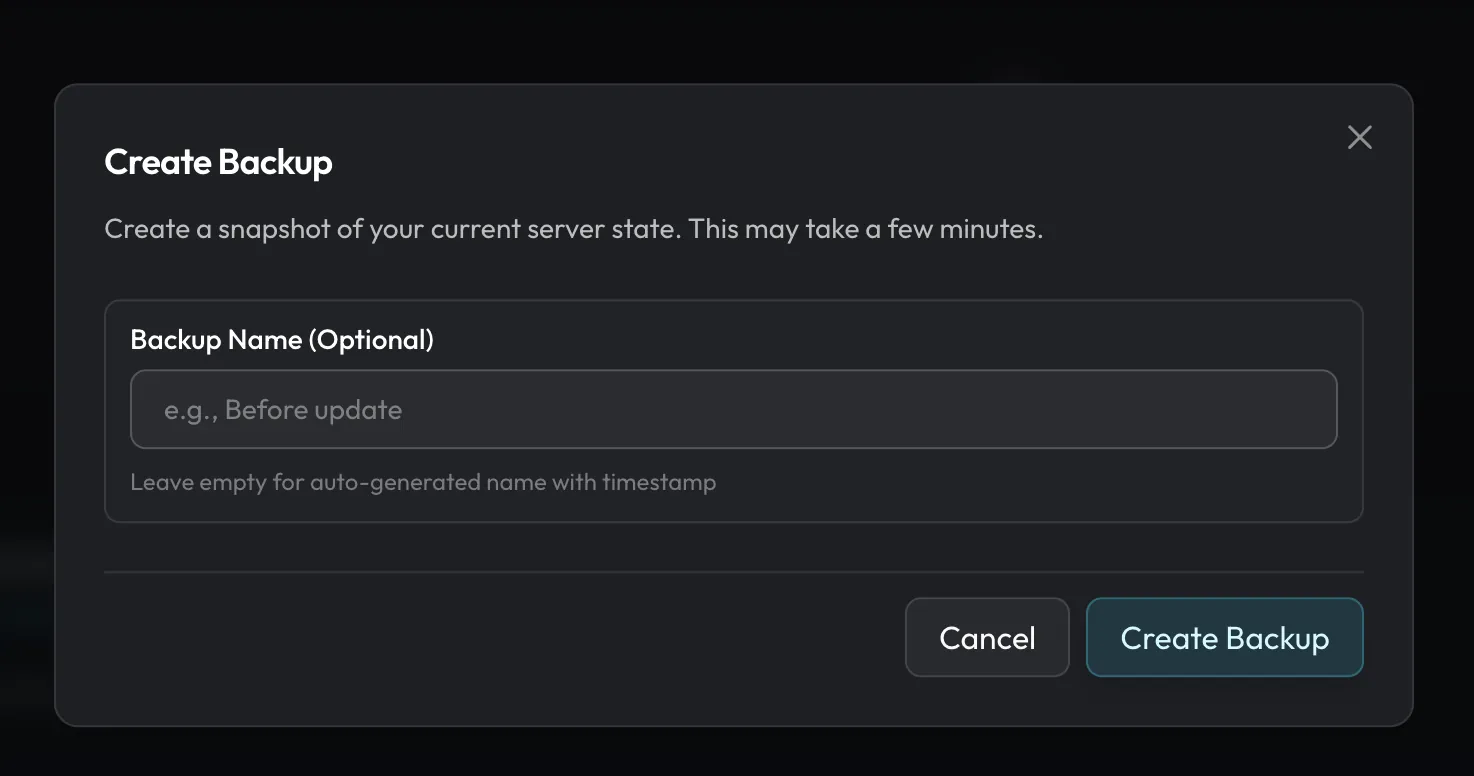
- Take a backup. Open Backups and create one. The backup guide has the steps.
- Open the pack settings. Go to Settings → Software & updates and find Installed modpack.
- Pick 1.8.0. Press Update, or press Change version and pick 1.8.0. Leave Back up first ticked, and your world files stay in place.
- Start and watch Console. Wait for startup to finish, then join on 1.8.0.
New servers still install 1.7.42 for now. Update to 1.8.0 the same way after the first start.
FAQ
What Cobblemon version does COBBLEVERSE 1.8.0 use?
Cobblemon 1.8.4, on Minecraft 1.21.1 with Fabric.
Is COBBLEVERSE 1.8.0 the Unova update?
No. The author says the regions and Unova update is still in development.
Can I go back to the version I ran before?
Yes, with the backup you took first. Use Change version to pick your old release, then restore that backup.
Host COBBLEVERSE on berrybyte
berrybyte installs COBBLEVERSE from Modrinth, and automatic backups come with every server. Pick a COBBLEVERSE plan.