20% off1.0 launch dealEnds Oct 31
For PS5 & PC Enshrouded Server Hosting
Your Embervale, always online. Rent an Enshrouded server for PS5 or PC, choose your platform and give your friends a world to come back to.
- PS5
- PS5 Pro
- PC / Steam
Choose PS5 or PC before checkout. Each platform has its own servers; crossplay is not available at launch. We’ll help you get connected. How setup works
Configure your server
Choose PS5 or PC before checkout. Each platform has its own servers; crossplay is not available at launch. We’ll help you get connected. How setup works
★★★★★
Jacob Hughes
berrybyte customer · 12 May 2024
Read on TrustpilotRead more reviews“Prices are amazing for how well the server performs, haven't had any performance issues whatsoever.”
Your place in Embervale.
A dedicated Enshrouded server keeps your group’s world open on PS5 or PC. Build while your friends are away, then meet up for your next expedition.
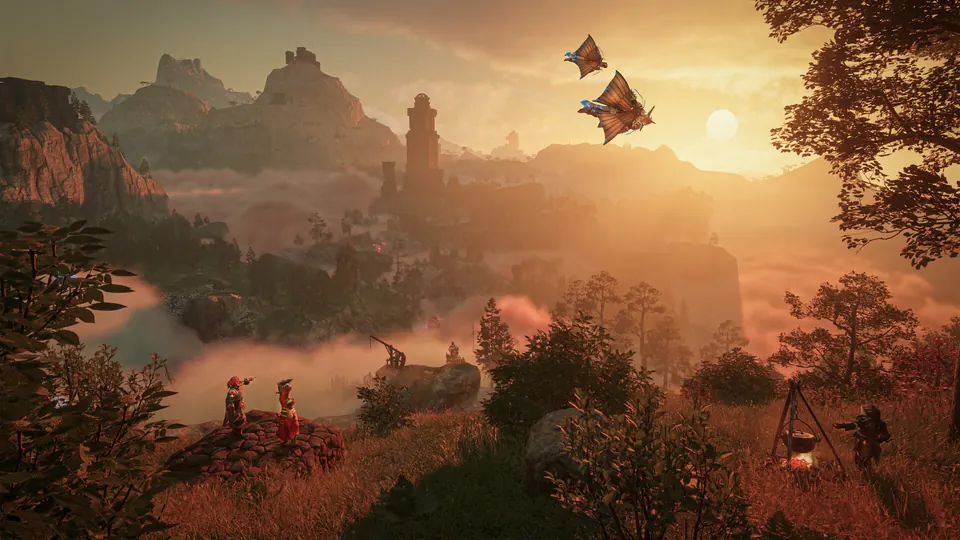
Enshrouded PS5 server hosting
Give your PlayStation group a world that stays online when everyone logs off. Choose the PS5 option for PS5 and PS5 Pro players. You manage the server from your browser and play from your console. PC and PS5 servers are separate; crossplay is not available at launch.
Get your group together for 1.0
Enshrouded 1.0 is live, with Cinder’s Cradle, the full map and the end of the story. Start a new adventure on PS5, or keep your compatible PC Early Access world. Choose your platform, player slots and a location close to your group.
Build peacefully. Or turn up the challenge.
Choose a relaxed building world or a tougher survival game. Adjust difficulty, protect your world with role passwords and decide who can change your bases.
Bring the world you’ve already built
You don’t have to leave your progress behind when moving hosts. We’ll help transfer your compatible save for free. Automatic backups and full file access keep you in control of your world.
From your first flame to your next expedition.
Choose PS5 or PC and we install the server. Set your rules, invite your group and settle into your world.
Make it your world
Choose a server name, set role passwords and pick your difficulty. Starting with an existing world? Ask us for a hand bringing it over.
Set up your serverBring everyone in
PS5 players find their world in the dedicated-server browser. PC players can search by IPv4/Domain. Share the server name and your friends’ role password.
Follow the joining stepsKeep your progress
Automatic backups are included. Before a big update or a world transfer, make an extra backup from your dashboard so you have a way back.
Manage your backups
A little help with Enshrouded.
Start with a guide, or ask our team. Setup and migration help are included with your server.
Enshrouded PS5 servers: setup, joining and crossplay
Choose a PlayStation server, invite your group and fix common joining problems.
Set up and join your Enshrouded server
Get your world running, set a password and bring your friends in.
Enshrouded Version Mismatch and Can't Connect — Every Fix
Match versions first, then check HostOnline, the address, filters and roles.
Back up and restore your world
Keep an extra save before an update and restore it when you need to.
Move your world with our help
Open a support ticket for free help bringing your existing world over.
Enshrouded server requirements
- 8-player plan
- 4 GB RAM included
- 12-player plan
- 6 GB RAM included
- 16-player plan
- 8 GB RAM included
- Hardware
- AMD Ryzen processors and NVMe storage
- Player platform
- PS5 / PS5 Pro or PC / Steam; separate servers
- PS5 online play
- PlayStation Plus required for each player
- World and settings
- Full file access, automatic backups and custom difficulty
Frequently asked questions.
Need help choosing? Talk to our team.
How much does Enshrouded server hosting cost?
Enshrouded server hosting starts at $7.96 USD per month. Your price depends on the player slots you choose. Setup help and automatic backups are included. You can see each plan’s monthly price in the selector above.
Can I rent an Enshrouded PS5 server?
Yes. berrybyte offers Enshrouded PS5 server hosting for PlayStation 5 and PS5 Pro. Select PlayStation 5 before checkout, or set Player platform to PlayStation 5 in Game Settings and restart an existing server. Your world stays online when you turn off your console, and every player needs PlayStation Plus for online play.
Does Enshrouded support crossplay between PS5 and PC?
No. PS5 and PC use separate servers at the 1.0 launch. Choose PS5 for a PlayStation group or PC for Steam players. Keen is working on cross-platform play but has not announced a date.
Does berrybyte support Enshrouded 1.0?
Yes. Enshrouded 1.0 released on October 15, 2026. With Auto Update on, your server installs the current dedicated-server build when it starts. Every player needs the same game version to join.
Do I need a new world for Enshrouded 1.0?
No. Early Access worlds work in 1.0 and are converted to a new save format the first time they load, and every player’s skill tree resets. Back up before your first 1.0 start, since the conversion is one-way. Keen recommends starting fresh to experience the reworked early game.
How many players can join an Enshrouded server?
Choose a plan with enough slots for everyone who will be online at once. Plans offer 8, 12 or 16 player slots for a dedicated server. Check the plan selector for current availability. Your world stays available when the person who started it logs off.
How much RAM is included with each Enshrouded plan?
The 8-player plan includes 4 GB RAM, the 12-player plan includes 6 GB, and the 16-player plan includes 8 GB. Memory use varies with your world and activity. If you already have a large world, ask our team to help choose a plan.
How do friends join my Enshrouded server?
On PS5, use the in-game dedicated-server browser to find your PS5 server. On PC, open Play → Join and use Search by IPv4/Domain with the address from your dashboard. Share the server name and the password for your friends’ role. Everyone must use the same platform as the server.
Can I move my existing Enshrouded world?
Yes. We offer free help transferring a compatible PC world from your computer or another host. Keep a copy of the original save and open a support ticket. Character progress stays with each player; the shared world save moves to the server.
Can I set a password and change the difficulty?
Yes. Use a password to keep your world private, and choose separate permissions for friends and admins. Enshrouded supports Relaxed, Default, Hard, Survival and custom game settings, so your group can focus on building or take on a tougher adventure.
Do I need PlayStation Plus for an Enshrouded PS5 server?
Yes. Each PS5 player needs PlayStation Plus for online multiplayer, including a rented dedicated server. Server hosting does not include the game or a PlayStation Plus subscription.
How do saves, backups and updates work?
Your world is saved on the server, and automatic backups are included. You can also create a backup from the dashboard before a major change. With Auto Update enabled, starting the server checks for updates. Give the world time to finish loading before joining.
Where can I host my Enshrouded server?
Choose US East, US West or EU Central. The plan selector shows current availability and compares your connection. Pick a location close to most of your group.
What if the server isn’t right for me?
New purchases include a 7-day money-back guarantee. Request a refund through support within 7 days of purchase. Read the refund policy. You can also cancel future renewals from your dashboard.