Enshrouded Version Mismatch and can't connect to server — every 1.0 fix
Fix Enshrouded's Version Mismatch error, "The build version of this server is older than yours", and other 1.0 connection problems. Update the server first, then check HostOnline, the address and query port, browser filters, and role passwords.
If you can't join an Enshrouded server since 1.0 (released October 15, 2026), work through these checks in order. The most common problem after the update is a player whose game updated before the dedicated server. Don't delete or restore the world first.
Retry with one player after each fix, and keep the world files intact.
On PS5, start with the platform checks. Steam and SteamCMD instructions below apply to PC; they are not steps to run on a console.
Find your symptom
| What you see | Likely cause | Fix |
|---|---|---|
| Version Mismatch: "The build version of this server is older than yours" | The server hasn't updated yet | Update the server |
| Could join before 1.0, can't now | Game and server are on different builds | Update the server |
| Console: "Error! App '2278520' state is 0x6 after update job" | SteamCMD's cache is stuck, so the update never installs | Fix the failed update |
| Server never appears or times out | Server still starting or converting the world | Wait for HostOnline |
| Server isn't in the browser | Wrong address, port, or browser filters | Check the address |
| Wrong password or the server is full | Role password or reserved slots | Check roles |
| A PS5 player can't find the server | No cross-platform play at launch | PS5 players |
| Joined, but skills are gone or a character is missing | Expected 1.0 changes | After joining |
| A fresh world loads instead of yours | Save path or an incomplete upload | Check the save path |
1. Version Mismatch: update the server
The player's game and the dedicated server need the same build. If the server is older, Enshrouded refuses the join with this message:
Version Mismatch The build version of this server is older than yours. The owner of this server needs to update it to the latest version.
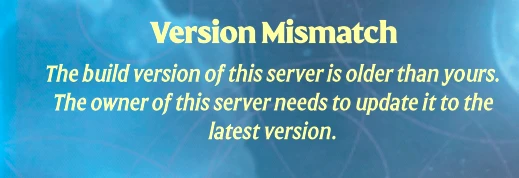
This is the most common error after 1.0 and every Enshrouded patch, because Steam updates the game before the dedicated server. Your game is fine, so don't reinstall it or roll it back. The server owner updates the server:
Update the server
On berrybyte, stop the server, enable Auto Update in Settings →
Game Settings, then start it. Auto Update installs the latest server
build on start. Self-hosting? Run SteamCMD for app 2278520 against
your install, as in updating to 1.0.
Make sure every player is updated too
Anyone who hasn't updated yet gets the opposite problem once the server is newer. Close Enshrouded completely and let Steam finish the update before launching it again.
Wait for HostOnline, then test one player
Watch Console until the server is ready (see below), then have one player join before inviting everyone.
Back up before the server's first 1.0 start. Keen's notes say 1.0 backs up an older save and converts it to a new format the first time it loads it, and that conversion is one-way.
Update fails: App '2278520' state is 0x6
If the server can't update, it stays on the old build and players keep seeing Version Mismatch. Check Console during startup for this:
Connecting anonymously to Steam Public...OK
Waiting for client config...OK
Waiting for user info...OK
Success! App '1007' already up to date.
 Update state (0x0) unknown, progress: 0.00 (0 / 0)
Error! App '2278520' state is 0x6 after update job.
Unloading Steam API...OK

Game server update attempt 1/3 failed.
This usually means SteamCMD's local state is stuck, so every retry fails the
same way. Clearing it and reinstalling fixes it. Your world lives in savegame and
isn't touched.
Stop the server
Wait until it shows as offline.
Delete the steamapps and steamcmd folders
Open Files and delete the steamapps and steamcmd folders in the
server root. Leave savegame and enshrouded_server.json alone.
Reinstall without erasing your files
Open Settings → Danger zone → Reinstall Server. Keep Create a backup first ticked and untick Erase all files before reinstalling, then confirm. The reinstall downloads a fresh SteamCMD and the latest server build.
Start the server and check Console
The update should finish without the 0x6 error. Wait for
HostOnline, then have one player join.
Self-hosting? Stop the server, delete the steamapps folder in your install
directory, then run SteamCMD's app_update 2278520 validate again.
2. Wait for HostOnline
Read Console for:
[Session] 'HostOnline' (up)!A process marked running can still be loading the world. The first start on 1.0 downloads the update and loads an Early Access world for the first time, so give it longer than usual. Keen hasn't published separate dedicated-server notes, so how long the server's conversion takes isn't documented.
Check the log for save-directory or configuration errors if it never becomes ready.
3. Check the address and filters
Copy Overview → Server address, including the query port. Use Play → Join → Search by IPv4/Domain.
Enable Show dedicated server and clear filters that hide the server.
Try Steam → View → Game Servers → Favorites with the same
IP:queryPort. See joining.
4. Check the role password and slots
Enter the password from the intended userGroups entry in
enshrouded_server.json. A legacy top-level password is not the modern
role editor.
User groups and their passwords work as before in 1.0. Player-hosted worlds can now promote or demote players in-game, but a dedicated server can't. Give a player a different group's password to change their role.
If the server is full, check slotCount and each group's reservedSlots.
Reserved slots can block ordinary players before the total cap is reached.
See settings and roles.
5. Check UDP and the save path
Self-hosters should allow and forward the configured UDP query port,
default 15637. The old separate gamePort field is obsolete.
On berrybyte, use the allocated address. The
dedicated server setup guide shows
the firewall and router steps for Windows and Linux.
After a migration, check saveDirectory and the complete uploaded save set.
Use world migration if a fresh
world appears.
PS5 players can't join
berrybyte now offers PS5 servers. If your group plays on PlayStation, set Player platform to PlayStation 5 in Settings → Game Settings and restart. See our PS5 server setup and joining guide.
Enshrouded launched on PS5 and PS5 Pro alongside 1.0, but Keen's launch FAQ says the game isn't cross-platform at launch. A PS5 player can't find or join a PC dedicated server, and no setting changes that. Keen is working on cross-platform play but hasn't given a date.
If you already have a PS5 server, check its exact name, wait for it to finish starting, and check the dedicated-server filters in the game. Each player needs PlayStation Plus and a compatible game version. The Steam-specific troubleshooting steps above apply to PC servers.
Joined, but something looks wrong
These are expected 1.0 changes, not connection problems:
- Skills are gone. Keen's 1.0 changelog resets the skill tree the first time 1.0 loads an existing save. Each player spends their points again.
- A character is missing. Characters are stored on each player's PC, not on the server. Since 1.0, the character menu has separate Local and Steam Cloud tabs, so check the other tab.
- The early game looks different. Keen reworked the first hours of the game in 1.0. That alone doesn't mean the wrong world loaded. Check a base your group built.
If none of these worked
Keen's server FAQ documents readiness and browser filters. If those checks fail, open a support ticket with the server linked, error text, and startup log.
Frequently asked questions
What does "The build version of this server is older than yours" mean in Enshrouded?
It's Enshrouded's Version Mismatch error: your game updated but the dedicated server is still on an older build. Only the server owner can fix it. Stop the server, update it (on berrybyte, restart with Auto Update on), wait for HostOnline, then join again. You don't need to change or reinstall your game.
How do I fix "Error! App '2278520' state is 0x6 after update job" on an Enshrouded server?
SteamCMD's download cache is stuck, so the server update fails and the server stays on the old build. Stop the server, delete the steamapps and steamcmd folders in the server root, then reinstall the server without erasing your files. The reinstall downloads a fresh SteamCMD and the latest server build. Your world in savegame isn't touched.
Why can't I join my Enshrouded server after 1.0?
Usually a version mismatch. Steam updates the game before the dedicated server, so a player on 1.0 can't join a server still on the Early Access build. Restart the server with Auto Update on, wait for HostOnline, then have one player join.
Can PS5 players join an Enshrouded PC server?
No. Enshrouded isn't cross-platform at launch. PS5 players need a PS5 dedicated server, which berrybyte now offers. Check the server platform first, then its name, readiness and browser filters. Keen has not given a date for PC/PS5 crossplay.
Why is my Enshrouded server not showing?
Wait for HostOnline, enable Show dedicated server, and clear filters hiding password-protected or empty servers. Search with the complete allocated address or add IP:queryPort in Steam Favorites.
What port does an Enshrouded server use?
The current dedicated configuration uses queryPort, default UDP 15637. On berrybyte, copy Server address from Overview because the allocated port can differ.