How to port forward a Hytale server (UDP 5520)
To host a Hytale server at home, forward UDP port 5520 to the server's local IP and allow it through the firewall. Hytale uses QUIC over UDP, so TCP isn't needed. Friends join with your public IP and port through Direct Connect.
To host a Hytale server at home, forward UDP port 5520 on your router to the computer running the server, and allow that port through the computer's firewall. Hytale uses QUIC over UDP, so TCP forwarding isn't required.
Friends then join with your public IP and the port, for example
203.0.113.10:5520.
| Setting | Value |
|---|---|
| Protocol | UDP (QUIC). TCP isn't needed |
| Default port | 5520 |
| Change the port | --bind launch argument |
| Firewall | Allow inbound UDP on the port |
| Router | Forward the UDP port to the server's local IP address |
| Friends connect with | Your public IP and port, in Servers → Direct Connect |
These steps assume the server already runs. If it doesn't yet, start with how to set up a Hytale server.
1. Pick the port
The server listens on 0.0.0.0:5520 unless you tell it otherwise.
0.0.0.0 means every network interface on the machine, which is what you want
for a server other people join.
To use a different port, add --bind when you start the server:
java -jar HytaleServer.jar --assets Assets.zip --bind 3500You can also give the full address, such as --bind 0.0.0.0:5520. Don't bind
to 127.0.0.1, which only accepts connections from the same computer.
If you start the server with the official start.sh or start.bat, arguments
you add after the script name are passed to the server, so
./start.sh --bind 3500 works too.
Whatever port you pick, use the same number in the firewall rule, the router rule, and the address you share. If any of the three differ, players can't connect.
2. Allow the port through the firewall
Run the command for your system. Change 5520 if you picked a different port.
New-NetFirewallRule -DisplayName "Hytale Server" -Direction Inbound -Protocol UDP -LocalPort 5520 -Action Allowsudo ufw allow 5520/udpsudo iptables -A INPUT -p udp --dport 5520 -j ACCEPTOn Windows, open PowerShell as administrator, since creating a firewall rule needs admin rights. These commands come from Hypixel's Hytale Server Manual.
3. Forward the port on your router
Every router's admin page looks different, so these steps are general. Your router's manual or your internet provider's help pages will show where the settings live on your model.
Find the server's local IP address
On the computer running the server, run ipconfig on Windows or ip addr on Linux and note
its local address, such as 192.168.1.50.
Reserve that address
Reserve the address for that computer in your router's settings. Otherwise it can change after a restart, and the forward will point at the wrong device.
Add a UDP forwarding rule
Create a port forwarding rule with protocol UDP, external port 5520, internal port
5520, and the server's local IP as the destination. Use your own port if you changed it.
Save and apply
Save the rule. Leave the server running so you can test it in the next step.
A TCP-only rule won't work. If your router asks for a protocol, choose UDP.
4. Connect and test from outside
Look up your public IP address (a "what is my IP" search works) from any device on the same network as the server. It's different from the local address you used in the router.
Before anyone joins, the server must be authenticated with
/auth login device. See how to authenticate a Hytale server.
Then have a friend outside your home network open Servers → Direct Connect
and enter your public IP and port, such as 203.0.113.10:5520. A test from
inside your own network doesn't prove the forward works, so use someone
elsewhere.
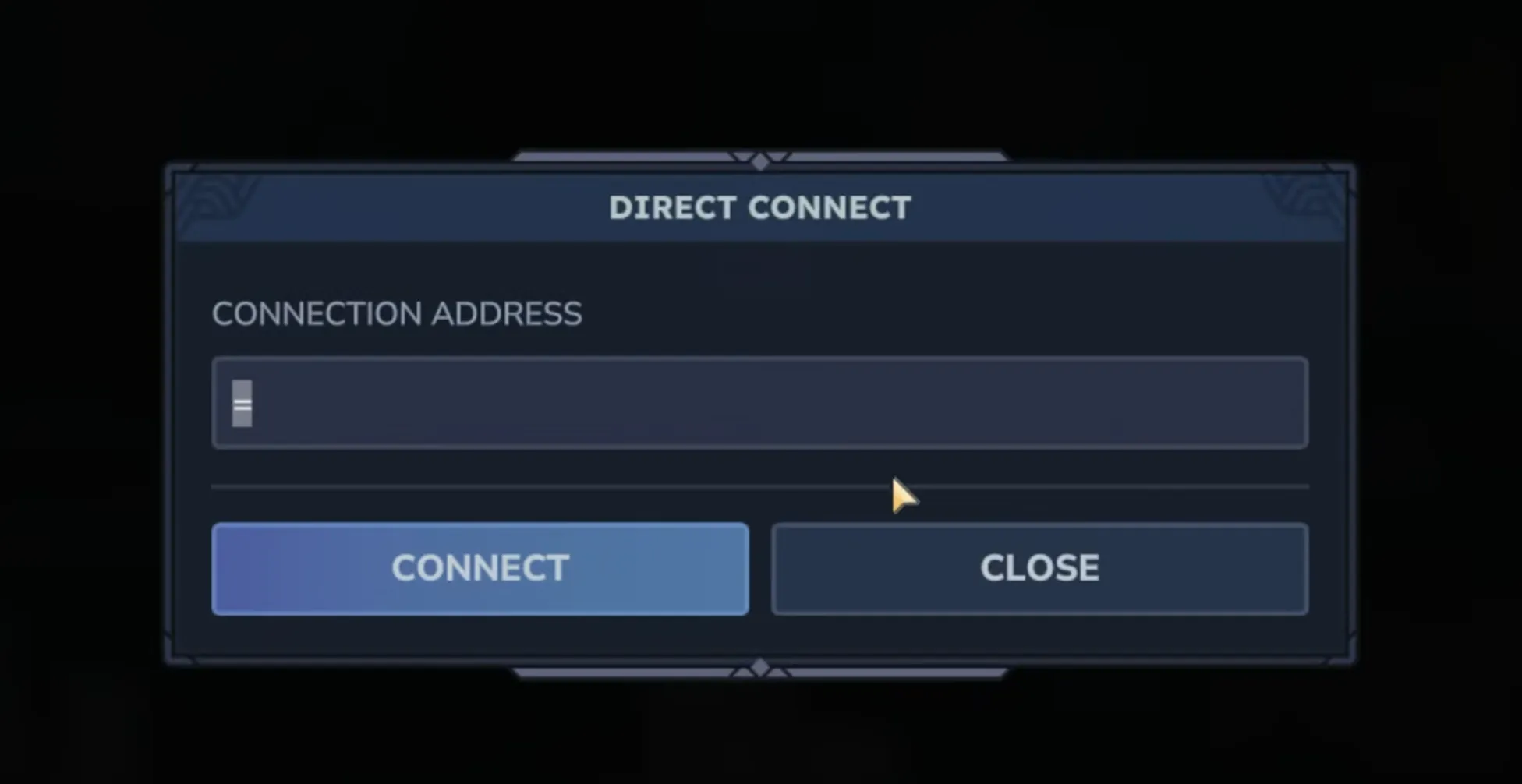
Share the address with the port included. Hytale doesn't support SRV records yet (the manual lists them as "Unsupported. Under evaluation."), so DNS can't supply the port, even if you point a domain name at your IP.
If the connection fails, check in this order:
- The rule is UDP, not TCP.
- The firewall rule, router rule, and shared address all use the same port.
- The server's local IP still matches the router rule.
- The server is running, authenticated, and on the same version as your friend's game.
Connection troubleshooting covers version, password, and whitelist problems.
If port forwarding doesn't work: NAT
QUIC handles NAT traversal well in most cases, according to Hypixel. If friends still can't connect after you've checked the UDP rule, NAT is the next thing to look at.
Symmetric NAT on the hosting side may cause connection issues even with a correct forward. Hypixel's suggestion is to run the server on a VPS or dedicated server instead.
Carrier-grade NAT (CGNAT) works differently depending on which side it's on:
- Players behind CGNAT, which is common on mobile networks, should connect fine as clients. Hypixel's manual says so directly.
- A host behind CGNAT is a different story. Your internet provider shares one public address between many customers, so your router doesn't have its own public IP, and a port forward on it generally can't receive connections from the internet. A common sign is when the internet address your router shows doesn't match the public IP you looked up. Your provider may be able to give you a public IP address. If not, host the server somewhere that has one.
A hosted server doesn't need port forwarding at all. On berrybyte, the address and port are allocated for you, and you share them straight from Overview.
Related guides
Frequently asked questions
What port does a Hytale server use?
UDP 5520 by default. You can change it with the --bind launch argument, for example --bind 3500. Use the same port in your firewall rule, your router's forwarding rule, and the address you give friends.
Does Hytale need TCP or UDP port forwarding?
UDP only. Hytale uses the QUIC protocol over UDP, and Hypixel's Server Manual says TCP forwarding isn't required.
How do friends join a Hytale server hosted at home?
They open Servers → Direct Connect in Hytale and enter your public IP address followed by the port, such as 203.0.113.10:5520. The server must be running and authenticated before anyone can join.
Can I host a Hytale server without port forwarding?
Not reliably from behind a home router, because players need to reach the server's UDP port. If you can't forward ports, for example because of carrier-grade or symmetric NAT, run the server on a VPS, a dedicated server, or a game server host instead.
Does Hytale support SRV records for a server domain?
Not yet. Hypixel's Server Manual lists SRV records as unsupported and under evaluation, so DNS can't supply the port. Include the port in the address you share, even when players connect with a domain name.