How to install mods on a Hytale server
To install Hytale server mods, download the .zip or .jar (for example from CurseForge), put it in the server's mods/ folder, and restart. Back up first, add one mod at a time, and check Console for load errors. Since Chapter 1, older plugins need a rebuild, so check each mod for a Chapter 1 build.
Download the mod as a .zip or .jar (for example from CurseForge), put
it in the server's mods/ folder, and restart the server. Back up first
and add one mod at a time, so a failed start is easy to trace.
Install a mod on berrybyte
Stop and back up
Stop the server and create a backup. Make sure it includes the world, your current mods, and their config files, so you can undo the change.
Check the download
Get the mod from a trusted page, such as CurseForge. Check which game version and patchline it supports, what it depends on, and whether players need to install anything.
Upload to mods/
Open Files → mods/ and upload the mod plus any required dependencies. Upload the mod file itself, not an extra archive wrapped around it.
Start and test
Start the server and read Console for load errors. Join with one player and try the mod before inviting the group.
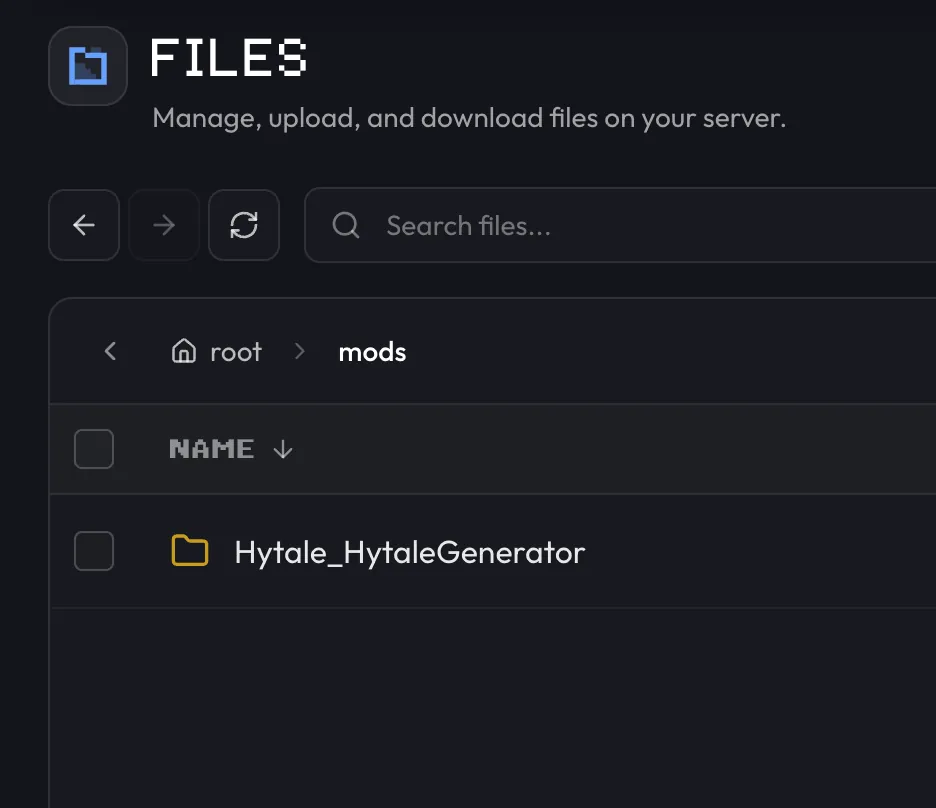
Some mods create their own config files the first time they load. Stop the server before editing those files.
Install mods on a self-hosted server
The steps are the same: stop the server, drop the .zip or .jar into
mods/, and start it. The folder sits next to config.json in the directory
the server runs from. With the official start scripts, that's Server/, so
mods go in Server/mods/.
Do players need the mod too?
It depends on the mod. Some mods need installing by each player, while others run only on the server. Read the author's instructions before asking players to install anything.
The client Mod Browser doesn't replace the server's mods/ folder. Mods for a
dedicated server still go in through Files (or the folder on your own
machine).
Mods and Chapter 1
Chapter 1 launched on October 12, 2026. Hypixel's
modder-facing notes say
Update 7 removed or replaced a large part of the server plugin API and renamed several game
assets, so plugins built for the previous version need a rebuild from their author. Write down
every file name and version in mods/, check each author's page for a Chapter 1 build, and test
the update on a copy of your world first. Don't just delete outdated mods: removing a mod that
adds blocks or items can affect saved blocks and items in your world.
Keep the working world and its mod set together in one backup, so you can return to a known-good pair. If a mod has no Chapter 1 build yet, test the world without it on a copy before you change your main world. The Chapter 1 update guide has the full launch checklist.
Mods can now contain whole worlds. Hypixel's Chapter I notes confirm that a world created from a mod stays after the mod is removed.
If a mod fails
| Console shows | Fix |
|---|---|
| Missing dependency | Install the compatible dependency the mod lists |
| Duplicate plugin | Keep one version and remove the other |
| Protocol or build error | Get the mod's build for your server's current version |
| Missing class or method after Chapter 1 | The mod uses plugin API that Update 7 removed. Install its Chapter 1 build |
| Invalid configuration | Restore the working config and change one value at a time |
The Hytale Server Manual
documents the mods/ folder. If you're stuck,
contact support with the mod's file
name and the first error from Console.
Related guides
Frequently asked questions
Where do I put mods on a Hytale server?
In the server's mods/ folder. On berrybyte, open Files, go to mods/, upload the .zip or .jar, and restart the server. A client UserData folder or a world folder is not the right place.
Do players need to install server mods too?
It depends on the mod. Some mods need installing by each player, while others run only on the server. Check the author's instructions before you invite your group.
Will my Hytale mods work after Chapter 1?
Only once the author releases a Chapter 1 build. Update 7 removed or replaced a large part of the server plugin API, so plugins built for the previous version need rebuilding. Write down your mod versions, check each author's page, and test on a copy of your world before you update the server everyone plays on.
Why won't my Hytale mod load?
Read the first mod error in Console. The usual causes are a missing dependency, two versions of the same mod, a build made for a different game version, or a broken config file.