How to reset a Palworld server
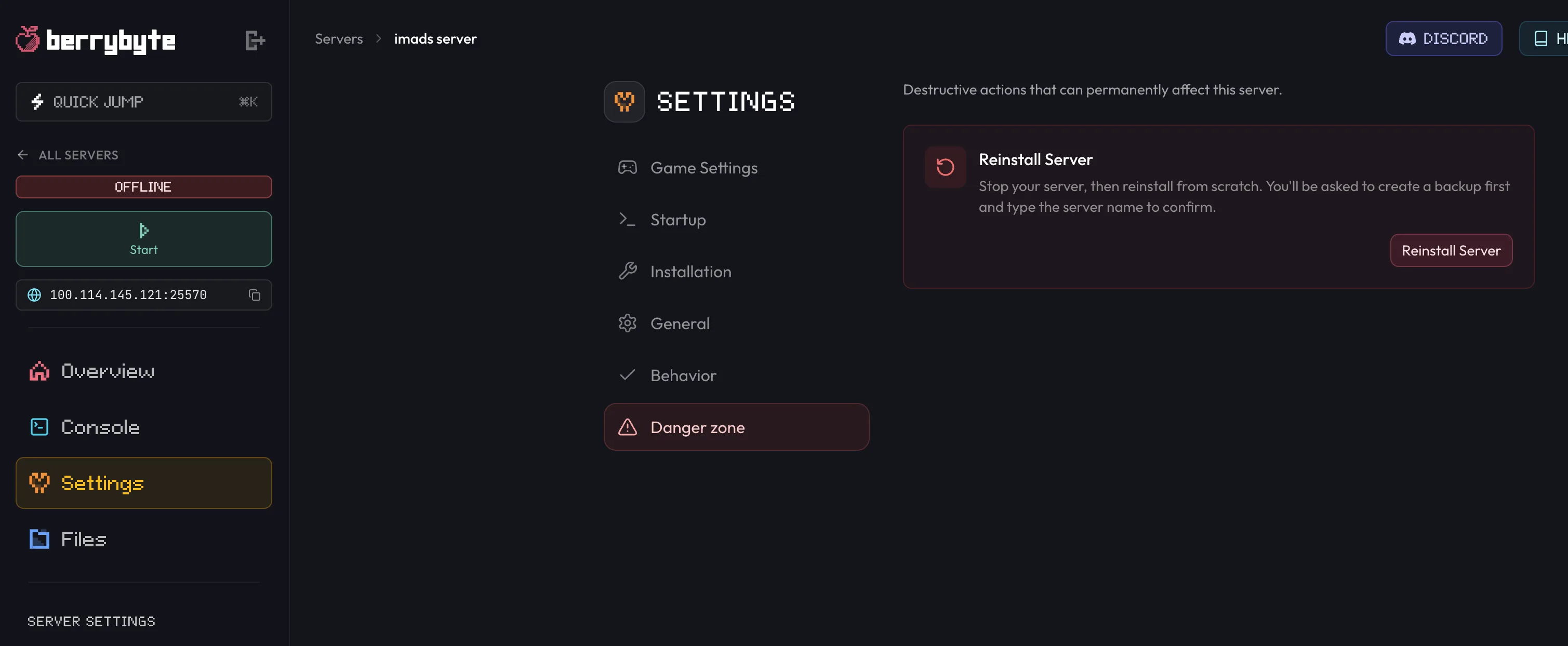
Reset a Palworld server by wiping its save data so the game generates a fresh world on the next boot. On berrybyte, use Settings → Danger zone → Reinstall Server; on any other server, stop it and delete everything under Pal/Saved.
Resetting a Palworld server means removing its save data so the game has
nothing to load and generates a brand new world on the next boot. That wipes
the entire world, every base, and every player's progress. On any server you
do it by deleting the contents of Pal/Saved; on berrybyte there's a built-in
Reinstall Server action that handles the wipe and takes a backup first.
This is permanent. Every base, every player's character, and the entire world are gone once the save data is wiped, with no undo. Take a backup first if there's any chance you'll want this world back.
Reset it on berrybyte
Settings → Danger zone → Reinstall Server wipes the server and reinstalls Palworld from scratch. The server has to be stopped before the button becomes available.
Stop the server
Open your server in the dashboard and stop it from the sidebar or Overview. The Reinstall Server button stays disabled while the server is running.
Open Settings → Danger zone
Go to Settings, then Danger zone, and press Reinstall Server.
Keep the backup and erase options ticked
Create a backup first is enabled by default and waits for the backup to finish before anything is deleted. Erase all files before reinstalling performs the actual wipe, so leave it ticked for a true reset. Unticking it reinstalls while keeping your files.
Type the server name to confirm
Enter the server's name exactly as shown, then confirm. The reinstall starts and the dashboard returns you to the server once it's underway.
Leave Create a backup first ticked. It costs a couple of minutes and means a wipe you regret isn't final. You can also take one yourself from Backups beforehand.
Reset it manually on any server
Deleting the save data by hand gives the same result and works on any Palworld server, self-hosted or with another host.
Back up first
Copy the Pal/Saved folder somewhere safe, or create a backup through your host, if you want
any chance of recovering this world later.
Stop the server
Palworld writes save data on shutdown, so stop it before touching any files.
Delete the save data
In your file manager, over FTP/SFTP, or directly on the machine for a self-hosted server,
open Pal/Saved, select everything inside it, and delete it.
Start the server
Start the server again. With no save data to load, Palworld writes a brand new world on this boot.
Deleting Pal/Saved also removes the generated config, so the server rebuilds
PalWorldSettings.ini with defaults on its next start. Note down any custom settings you want
to keep, and see
How to configure Palworld server settings to
put them back.
Only want to remove one player instead of wiping everyone? See delete player data for how to reset a single player's save without touching the rest of the world.
Frequently asked questions
How do I completely wipe a Palworld server and start over?
Remove the server's save data so there is nothing left to load, then start it again. On berrybyte, Settings → Danger zone → Reinstall Server does this with an erase-files option and a pre-reinstall backup. On other servers, stop the server and delete the contents of Pal/Saved.
Can I undo a Palworld server reset?
Only if you made a backup first. Wiping the save data is permanent. berrybyte's reinstall dialog ticks Create a backup first by default and waits for that backup to finish before it starts, so leave it enabled.
Does resetting a Palworld server delete every player's progress?
Yes, resetting wipes the entire world along with every player's base and character progress. If you only want to remove one player instead of everyone, see delete player data.
How do I reset a self-hosted Palworld server?
Stop the server, delete everything inside the Pal/Saved folder in your server directory, then start it again. With no save data present, Palworld generates a brand new world on that boot.