How to delete one player's data on a Palworld server
Find a player's ID with /ShowPlayers, then delete their .sav file from Pal/Saved/SaveGames/0/<worldID>/Players/ in your file manager or over FTP and restart the server so only that player starts fresh.
Every player has their own save under
Pal/Saved/SaveGames/0/<worldID>/Players/. The .sav file is named for that
player's ID. Deleting that one file resets that single player, letting them
create a new character, while the world and every other player's progress
stay untouched. This is different from
resetting the server, which wipes
everything at once.
Remove a player's save data
Get admin access
You need to be an admin on the server to run the command in the next step.
Find the player's ID
Press Enter in-game to open the chat, type /ShowPlayers, and press Enter. Copy the player ID
next to the name of the player you want to reset.
Open your file manager
Use your host's file manager, or connect over FTP/SFTP. On berrybyte, open your server in the dashboard and go to Files.
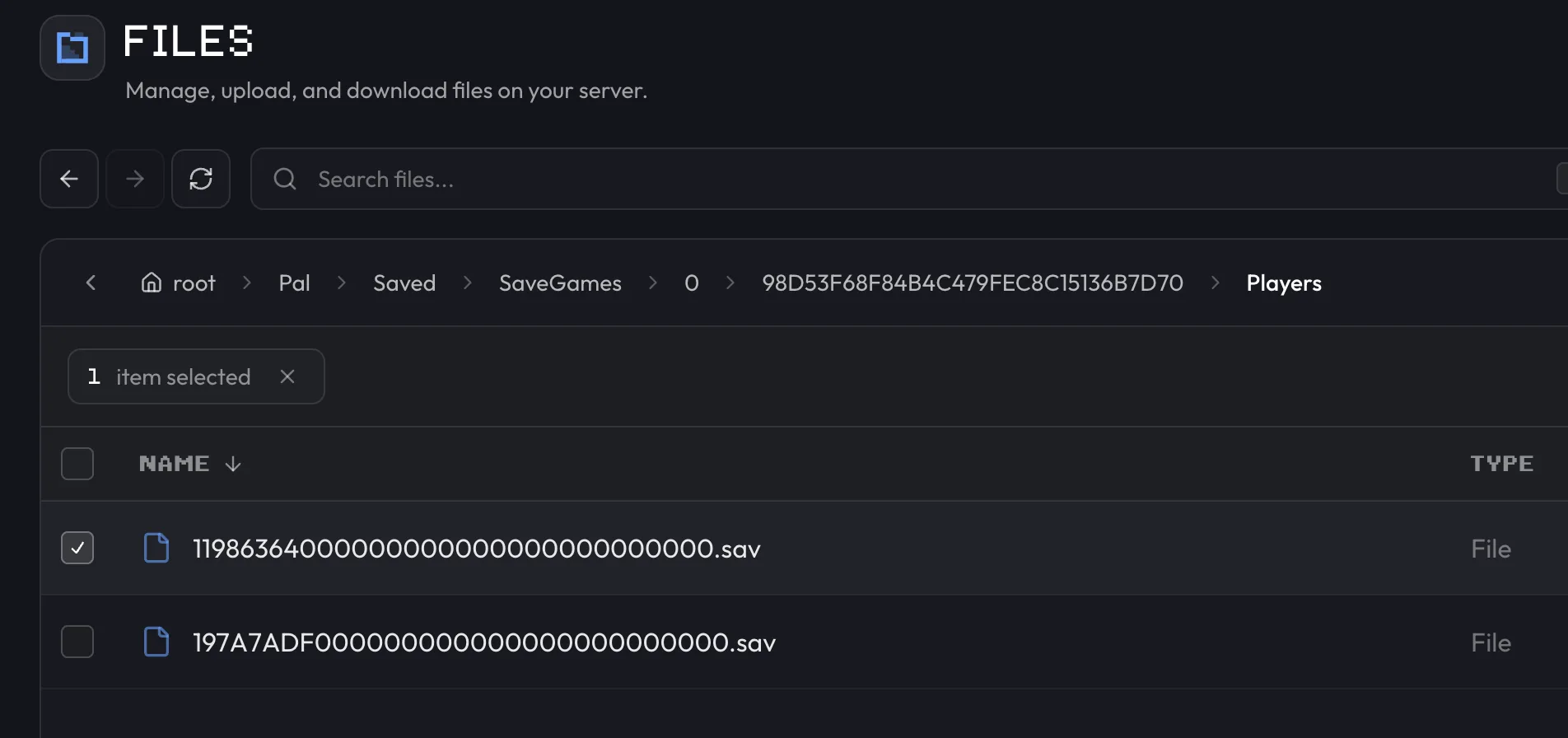
Navigate to the player's save folder
Browse to Pal/Saved/SaveGames/0/<worldID>/Players/. <worldID> is the long hex folder
under SaveGames/0/. Then match the .sav file to the player ID you copied.
Delete the matching .sav file
Find the .sav file named for that player ID, select it, and delete it.
Restart the server
Restart from the sidebar or Overview so the change takes effect. See Start, stop & restart for the full rundown of the power controls.
The player isn't banned or removed from the server. They just start over with a new character the next time they log in.
Want to wipe everything instead of just one player? See reset the server for the full-world reset, and back up first since that one has no undo.
Frequently asked questions
How do I reset just one player on my Palworld server without wiping everyone?
Get the player's ID with the /ShowPlayers admin command, then delete their .sav file from Pal/Saved/SaveGames/0/<worldID>/Players/ in Files and restart the server. Only that player's character and progress are removed.
Where are individual player save files stored on a Palworld server?
Each player has their own .sav file under Pal/Saved/SaveGames/0/<worldID>/Players/, named for their player ID. Deleting that one file resets only that player.
Do I need admin access to delete a Palworld player's save data?
Yes. You need admin on the server to run /ShowPlayers and get the player ID before you can find and delete the right .sav file.