Join a Palworld server on Xbox
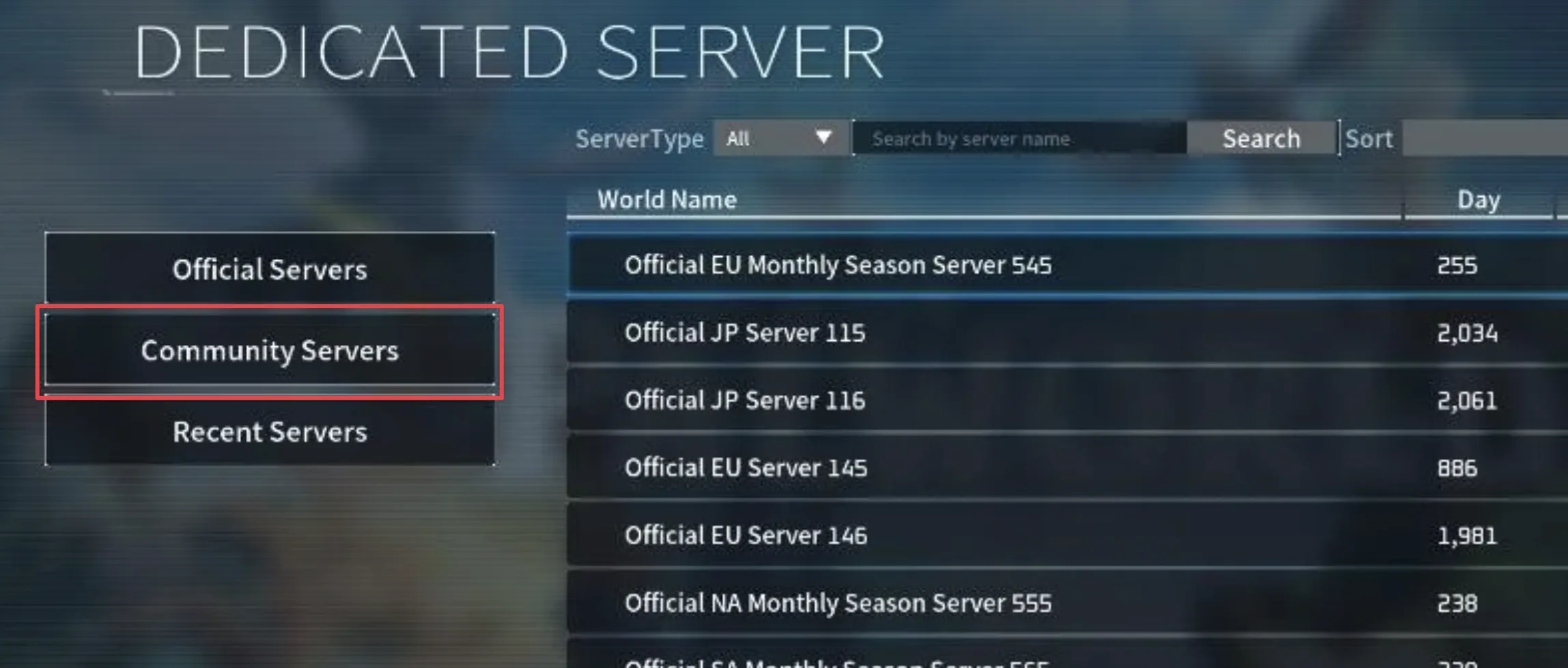
Open Palworld on Xbox, select Join Multiplayer Game, then Community Servers, and search for your server by name. Xbox servers can't be joined by IP address, only through the community server list.
Joining a Palworld server on Xbox means searching for it by name in the in-game community server list, since Xbox can't connect by IP address the way Steam can. Select Join Multiplayer Game, then Community Servers, and search for the name your server admin gave you.
This only works once Xbox is allowed on the server and it is listed as a community server. See Set up an Xbox dedicated server if it isn't yet, or ask whoever owns the server to confirm Allowed platforms includes Xbox.
Find and connect to the server
Launch Palworld
Start Palworld on your Xbox console or through the Xbox app on Windows.
Select Join Multiplayer Game
From the main menu, choose Join Multiplayer Game.
Select Community Servers
Choose Community Servers to open the searchable server list.
Search for your server
Type the server's name into the search field to find it in the list.
Connect
Select the server and press Connect. Give it a few moments to load you into the world.
If several servers share a similar name, check the player count and region shown in the list to confirm you've found the right one before connecting.
Next steps
Frequently asked questions
Why can't I join a Palworld server on Xbox with its IP address?
Xbox and Microsoft Store versions of Palworld only support joining through the in-game community server list. Search for the server by name under Community Servers instead of entering an address.
Do I need to set up my server as a community server before Xbox players can join?
Yes. Xbox clients search Community Servers, which only lists servers started with -publiclobby and Xbox in CrossplayPlatforms. berrybyte already uses Crossplay and -publiclobby; self-hosters add -publiclobby themselves. See Set up an Xbox dedicated server.
My Palworld server isn't showing up in the Xbox community server search. What's wrong?
Search the exact ServerName, confirm the server is running, and check Allowed platforms is Crossplay (or Xbox). New listings can take a minute or two after a restart.
How long does it take to connect after clicking Connect on Xbox?
Give it a few moments. Palworld needs to load the world before dropping you in, so a short wait after clicking Connect is normal.