How to join a Minecraft server
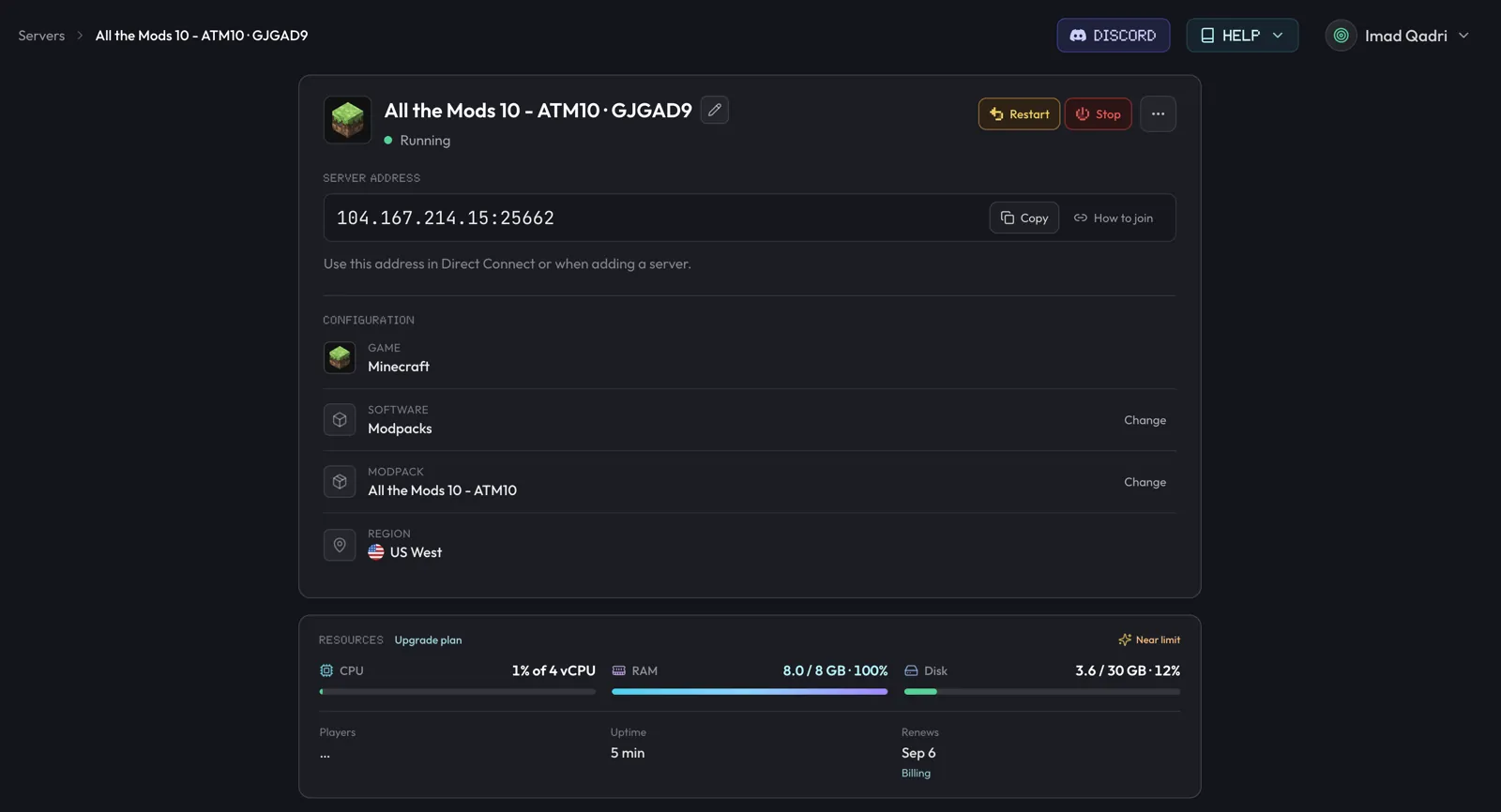
Joining a Minecraft Java server needs its address and port, shown in your host's panel (berrybyte's is Overview → Server address) or your own public IP on port 25565 if self-hosted. Paste it into Direct Connection or Add Server in Minecraft Multiplayer.
Joining takes two things: a running server and its full address, meaning the
IP or domain plus the port. Your host's control panel shows this, usually
labeled something like "server address" or "connection info." If you're
self-hosting, it's your public IP on port 25565 unless you changed it. On
berrybyte, open the server's Overview in the
dashboard, find Server address, and press
Copy. The value includes the address and port, for example
203.0.113.10:25565.
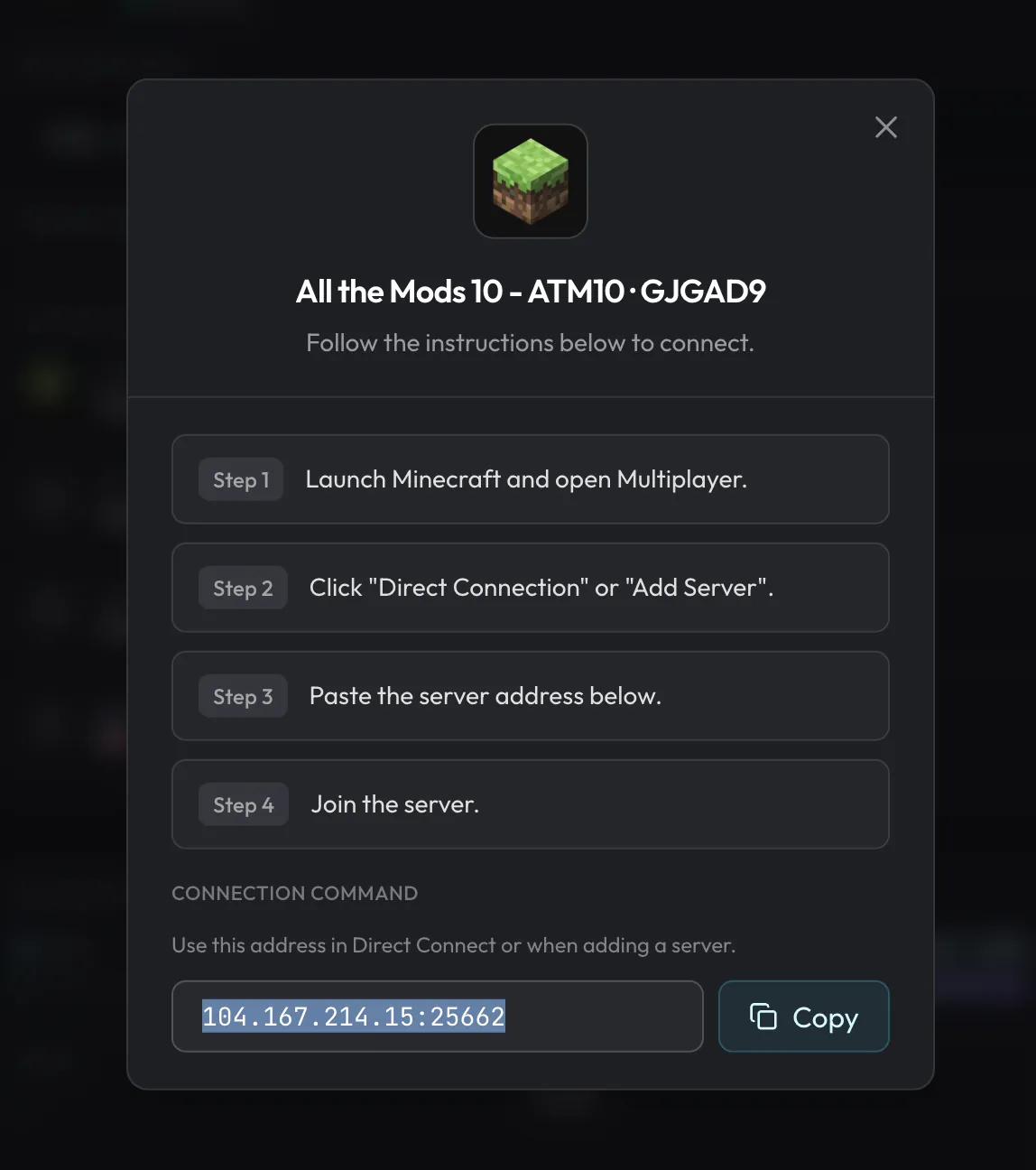
You can also press How to join beside the address to open the same steps inside the dashboard.
Connect with Java Edition
Open Multiplayer
Launch Minecraft Java Edition and choose Multiplayer.
Choose a connection
Use Direct Connection for a one-off join, or Add Server to keep it in your server list.
Paste the full address
Paste the address and port from your host's panel. Java uses one address field, so do not split the port into another field.
Join the server
Press Join Server. If it fails, confirm that the server is running and that your client version matches the server.
Use your own domain
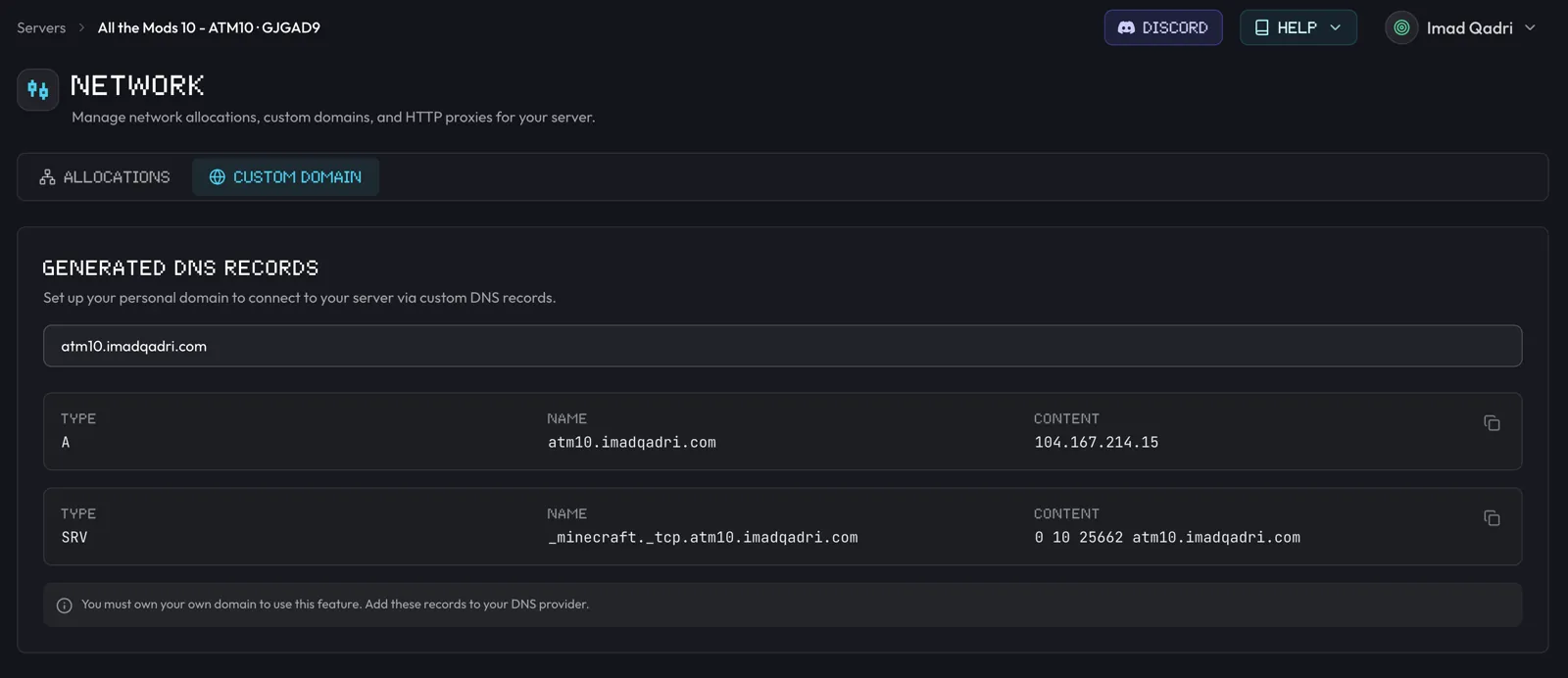
Open Network → Custom Domain on the Minecraft server and enter a domain you own. The dashboard shows the DNS records to add at your domain registrar. Those changes can take a little while to update; the original server address continues to work while you wait.
Connection problems
Connection timed out
The server is offline or unreachable. Check your host's panel: is the server running? Is the address identical to the one it shows, including the port? On berrybyte that's Server address in Overview. See Fix connection timed out for the full diagnostic checklist if the basics check out.
Can't resolve hostname
If you configured a custom domain, verify its DNS records at your registrar. On berrybyte, check them under Network → Custom Domain. Try the original server address while the domain finishes updating.
Outdated client / outdated server
Check the server's installed version in your host's panel, on berrybyte that's Settings → Game Settings → Server software. Launch the same Minecraft version, or the exact version required by the installed modpack.
Bedrock players can't join my Java server
This is expected. berrybyte hosts Minecraft Java Edition, and Bedrock clients cannot join
those servers directly. For crossplay, download Geyser from
geysermc.org and upload it through
Overview → Plugins → Manage plugins, which opens Files at plugins/
(Paper and similar loaders).
Still locked out? Work through Can't connect to a Minecraft server in order, then open a support ticket from the dashboard (Support → Open a Ticket, category Server Issue) and attach a screenshot of the error. Prefer Get help from the server menu so the ticket links that server automatically. For quick community tips, ask in Discord.
Frequently asked questions
Can Bedrock players join a Java server?
Not by default. Install the Geyser plugin on a Java server (Paper and similar) to let Bedrock clients join for crossplay.
Do my friends need to own the server to join?
No. Anyone with the address can connect, unless you enable the whitelist. Share the IP or subdomain and they join like any public server.